
Intro

Microsoft SQL Server is one of the leading relational database management systems (RDBMS) that has established itself as an industry standard widely adopted by businesses. As a result, more users are willing to master it, and more tools help them work faster and more efficiently. In this review, we will explore some of the most beneficial and user-friendly solutions tailored for macOS users.
Why trust our SQL Server tool reviews
Running SQL Server tools on macOS comes with real limitations around compatibility, performance, and feature depth. That’s why every tool in this guide was tested against real SQL Server workflows, not just compared by feature lists. Our selection is based on:
- macOS compatibility: Native support or stable performance via CrossOver
- SQL Server feature depth: T-SQL, schema/data comparison, backups, object management
- Performance & UX: Speed, stability, and daily usability under real workloads
- AI & automation: Practical assistance that saves real development time
- Pricing clarity: Fair long-term value across free and paid tiers
All recommendations are grounded in hands-on testing and real developer usage—not marketing promises.
Comparison table: Top SQL Server GUI tools for macOS
The following table provides a practical, at-a-glance comparison of the most reliable Microsoft SQL Server GUI tools that run on macOS. Some are native, others cross-platform, but all support meaningful SQL Server workflows.
| Tool | Best for | Platforms | Key SQL Server Features | Free plan | Starting Price |
| dbForge Studio for SQL Server | Full SQL database development and management, AI assistance, enterprise workflows | macOS & Linux (via CrossOver or Wine), Windows | AI Assistant, Schema Compare, Data Compare, Query Builder, DevOps automation | Trial + free Express Edition | From $229.95 |
| Navicat for SQL Server | Full-featured SQL Server development, modeling, and administration | macOS, Windows, Linux | SQL Editor with code completion, Data Modeling, Data/Structure Sync, Data Transfer | No free plan | From $45.99/month |
| DataGrip (JetBrains) | Developers who want a powerful cross-DB SQL IDE | macOS, Windows, Linux | Smart code completion, refactoring, schema introspection, visual query plan, version control integration | No free plan (student license available) | From $10.90/month |
| DbVisualizer | Multi-database SQL development and visualization | macOS, Windows, Linux | SQL editor, ER diagrams, table data editing, query optimization tools | Free edition available | Pro from $199/year |
| Beekeeper Studio | Open-source, user-friendly SQL editor | macOS, Windows, Linux | SQL editor, table browse/edit, connections manager, tabs, saved queries | Free & open-source (Community) | From $9/month |
| RazorSQL | Broad database support, lightweight all-in-one SQL client | macOS, Windows, Linux | SQL editor, database compare, import/export, visual tools, NoSQL support | No free plan (only trial) | From $129/user |
| SQLPro for MSSQL | macOS-native SQL Server management | macOS, iOS | Intuitive UI, data editing, syntax highlighting, table designer | No free plan | From 18.39/month |
Now that you have a high-level comparison, let’s take a closer look at what each tool offers and where it fits within SQL Server workflows.
SQL Server GUI solutions for Mac
These reviews show how each solution performs across key SQL Server tasks: from query development and schema changes to data comparison, performance tuning, and everyday administration.
dbForge Studio for SQL Server
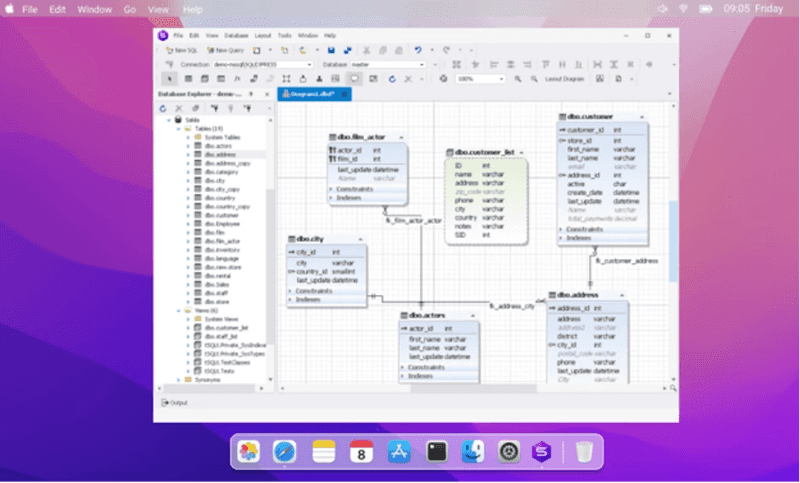
dbForge Studio for SQL Server is an all-around Integrated Development Environment (IDE) specifically crafted for Microsoft SQL Server. A highly functional and user-friendly solution addresses all essential tasks related to the development, management, and administration of both on-premise and cloud-based SQL Server databases. Its intuitive graphical user interface (GUI) eases configuration and task performance, replacing manual command input with visual menus and controls.
dbForge Studio for SQL Server operates smoothly on macOS through CodeWeavers CrossOver, a compatibility solution that helps Windows-native applications run on different operating systems.
Key features:
- Coding assistance with auto-completion, formatting, syntax validation, debugging, refactoring, and code snippets.
- Visual Query Builder for constructing complex queries without coding.
- Visual Database Designer with ER diagrams.
- Comparison and synchronization of database schemas and table data.
- Data import and export supporting up to 14 popular data formats.
- Quality test data generation with 200+ integrated generators.
- Server session monitoring with real-time troubleshooting.
- User account management.
- Robust data analysis and reporting capabilities.
Pros:
- Integrated Source Control with support for all major version control systems.
- DevOps module for establishing effective Continuous Integration (CI) procedures.
- Automation of regular tasks via the command line.
- Database Documenter that creates detailed documentation automatically.
- Robust data visualization features.
- Comprehensive documentation and video tutorials.
- Professional personalized support from the vendor.
Cons:
- Lack of native macOS support (the Studio runs on macOS only via the third-party compatibility solution CrossOver).
- The interface is available only in English.
Pricing:
- Free – Express edition with basic functionality.
- Paid – subscription from $229.95 per year, perpetual license from $679.95.
- Free trial – 30 days.
Navicat for SQL Server
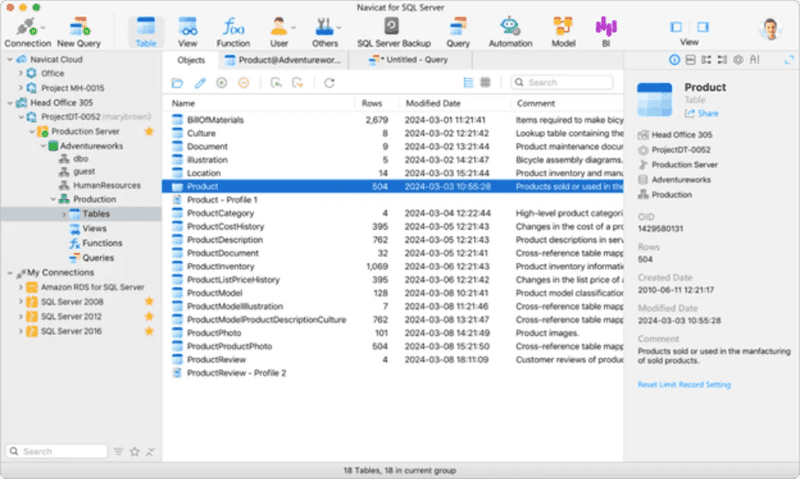
Navicat for SQL Server stands out as a premier solution for database development and administration, compatible with both on-premise systems and cloud platforms. Its intuitive GUI helps to simplify tasks related to data management, database design, data migration, and more. In addition, robust SQL coding and editing features coupled with various handy tools make Navicat for SQL Server a preferred choice for seasoned professionals and beginners alike.
This tool offers native support for macOS.
The All-in-One Platform for Effective SEO
Behind every successful business is a strong SEO campaign. But with countless optimization tools and techniques out there to choose from, it can be hard to know where to start. Well, fear no more, cause I've got just the thing to help. Presenting the Ranktracker all-in-one platform for effective SEO
We have finally opened registration to Ranktracker absolutely free!
Create a free accountOr Sign in using your credentials
Key features:
- Robust SQL editor with intelligent code completion functionality.
- Database schema and data comparison, along with deployment of changes.
- Data transfer across databases.
- Visual tools for data modeling, as well as database and object design.
- Data generator for producing large amounts of test data.
- Data analysis with visual chart support.
Pros:
- Easy connection to local and remote servers and cloud platforms.
- Synchronization of connection settings and queries via Navicat Cloud.
- Tab-based GUI for query writing and object design.
- Seamless license transfer between different operating systems.
- Robust security features.
- UI customization and dark theme.
Cons:
- The short trial period may be insufficient for a thorough test drive.
- Advanced functionality is limited to premium editions.
- Lack of comprehensive documentation and support resources.
Pricing:
- Navicat for SQL Server (Standard Edition) is available through a monthly subscription at USD 35.99, a yearly subscription at USD 359.99, or as a perpetual license for USD 699.00.
- Free trial – 14 days.
DataGrip
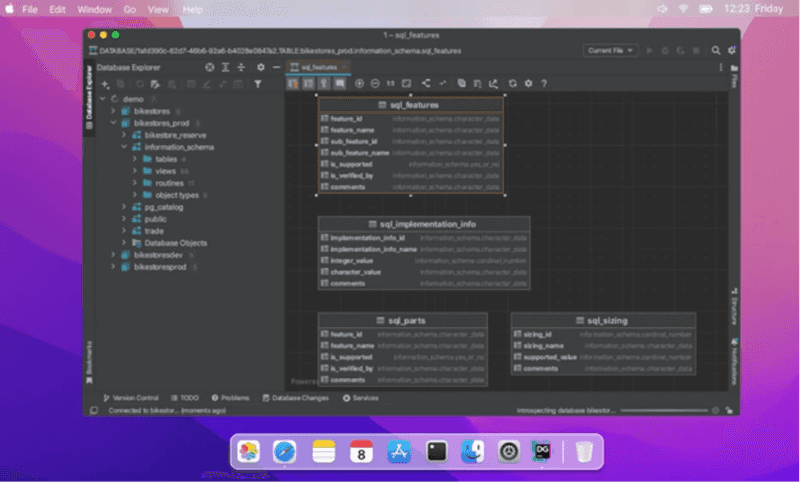
DataGrip is a commercial database IDE designed to address the needs of SQL Server developers and administrators. It offers a range of features, including seamless query creation, execution, and analysis, SQL code validation, and database schema management, along with a clean, simple graphical user interface (GUI), making the solution a popular choice for database specialists of different skill levels.
DataGrip is a cross-platform solution with native macOS support.
Key features:
- Advanced SQL Editor with code auto-completion, debugging, and refactoring options.
- Visual database designer with table and view visualization.
- Data viewer and data editor.
- Visual user management module.
- Visual query analysis and optimization.
Pros:
- tSQLt-based unit testing.
- Diverse plugins to enhance the tool’s functionality.
- Data reports with charts.
- Customizable user interface with a dark theme.
Cons:
- Limited schema and data comparison functionality.
- Limited number of data formats for import and export.
- Lack of multi-database management.
- High cost and limited pricing options.
- Restricted functionality in comparison to other IDEs.
Pricing:
- Paid – subscription from $9.90 per month.
- Free trial – 30 days.
DbVisualizer
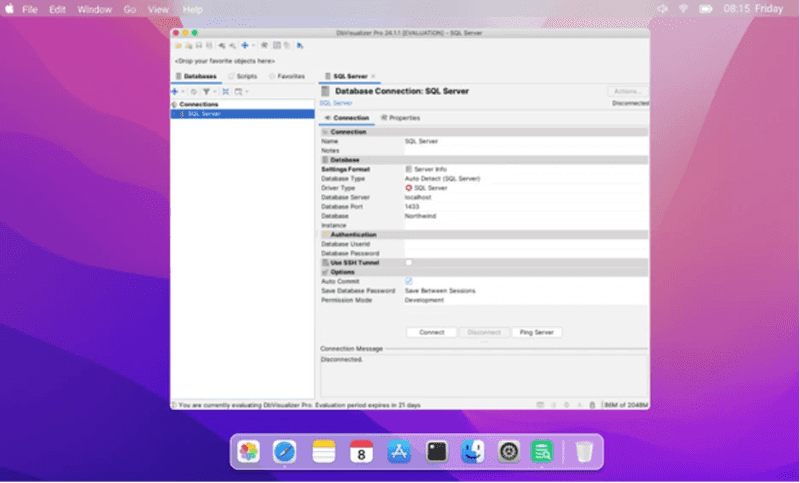
DbVisualizer is a cross-platform solution tailored for database developers, administrators, and data analysts. It supports a variety of database systems, including SQL Server and Azure SQL Database, and provides users with a set of helpful features for efficient database design, management, and maintenance.
DbVisualizer is available on macOS.
The All-in-One Platform for Effective SEO
Behind every successful business is a strong SEO campaign. But with countless optimization tools and techniques out there to choose from, it can be hard to know where to start. Well, fear no more, cause I've got just the thing to help. Presenting the Ranktracker all-in-one platform for effective SEO
We have finally opened registration to Ranktracker absolutely free!
Create a free accountOr Sign in using your credentials
Key features:
- SQL Editor with intelligent code auto-completion.
- Visual query builder for constructing complex queries.
- Visual query analysis through the EXPLAIN plan.
- Data editor allowing direct editing.
- Data import and export capabilities.
- User manager for enhanced access control.
Pros:
- SQL code formatting feature.
- Robust data visualization formats.
- Diverse GUI customization options.
- SSH-encrypted data transmission.
Cons:
- Limited formats for data import.
- Insufficient learning resources and support.
- Absence of performance monitoring functionality.
- Lack of database schema management features.
Pricing:
- Free – limited functionality.
- Paid – $197 per user in the first year, license renewal for $69.00 per user.
Beekeeper Studio
Beekeeper Studio is a GUI-based database management solution, offering full support for Microsoft SQL Server, both on-premise and in the cloud (Azure SQL Database). The platform features an intuitive interface designed to handle standard database tasks with ease, while also providing the flexibility of traditional command writing and execution through the command line. This dual approach responds to the diverse needs and preferences of database specialists with varying levels of expertise.
Notably, Beekeeper Studio grants native macOS support.
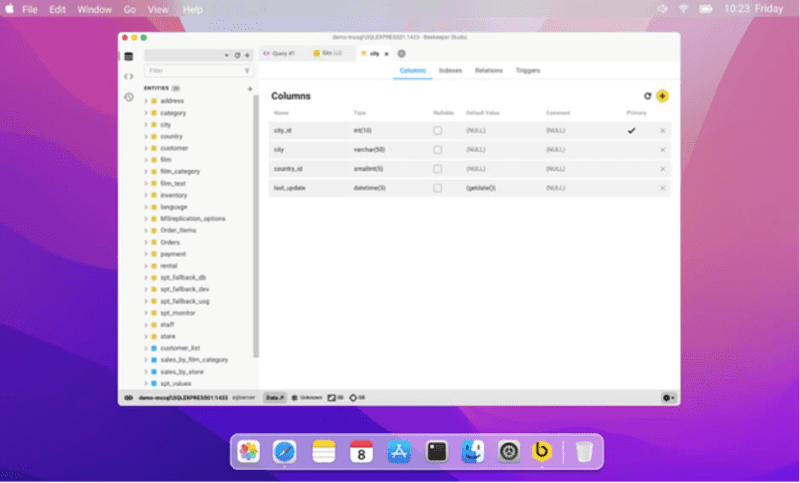
Key features:
- SQL editor with code auto-completion, syntax validation, and shortcuts.
- Visual query builder delivering real-time results preview.
- Visual design and editing of tables and database objects.
- Various data visualization options, including charts and graphs.
- Versatile data export options with support for major data formats.
- Viewing, searching, and editing data directly.
Pros:
- Multi-tabbed query editor.
- Ability to save and organize frequently used queries.
- Secure SSL and SSH connections.
- Support for teamwork across multiple devices.
Cons:
- Restricted functionality in comparison to other similar IDEs.
- Lack of comprehensive database administration options.
- Lack of documentation and community support.
Pricing:
- Free – Community Edition.
- Paid – subscription from $14 per month per user.
- Free trial – 14 days.
RazorSQL
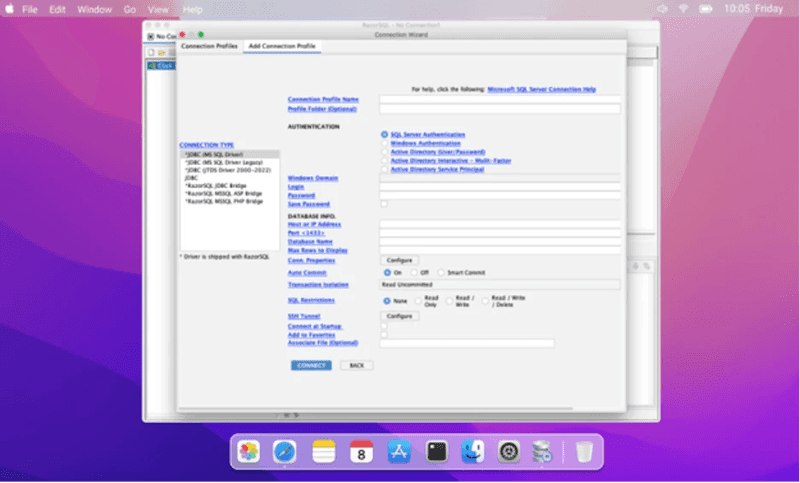
RazorSQL is a widely used database management tool renowned for its support for various relational databases, including Microsoft SQL Server. While its primary focus revolves around database querying and coding assistance, it provides additional features that streamline standard database tasks.
This cross-platform solution seamlessly operates on macOS.
The All-in-One Platform for Effective SEO
Behind every successful business is a strong SEO campaign. But with countless optimization tools and techniques out there to choose from, it can be hard to know where to start. Well, fear no more, cause I've got just the thing to help. Presenting the Ranktracker all-in-one platform for effective SEO
We have finally opened registration to Ranktracker absolutely free!
Create a free accountOr Sign in using your credentials
Key features:
- Database Browser for navigating through database structures and objects.
- SQL Editor with auto-completion, syntax check, and code formatting features.
- Database schema and data comparison.
- Visual query building for enhanced efficiency.
- Visual database objects editor.
- Data import and export with support for popular formats.
- Viewing and direct editing of table data.
- Database backup and restore features.
Pros:
- Connection Wizard for multiple database connections.
- SSH Tunneling support for secure connections.
- Support for JDBC and ODBC connections.
- Scripting and automation capabilities for common tasks.
- Robust customization options, including different UI skins.
- Command-line interface for enhanced flexibility.
Cons:
- Limited functionality compared to more powerful IDEs.
- Lack of monitoring and user management capabilities.
- Lack of data analysis and reporting options.
- Not recommended for advanced tasks and complex projects.
Pricing:
- Paid – perpetual license from $99.95 per user.
- Free trial – 30 days.
SQLPro for MSSQL
SQLPro for MSSQL is a user-friendly database management solution whose intuitive visual interface and comprehensive features empower users to efficiently handle SQL Server databases.
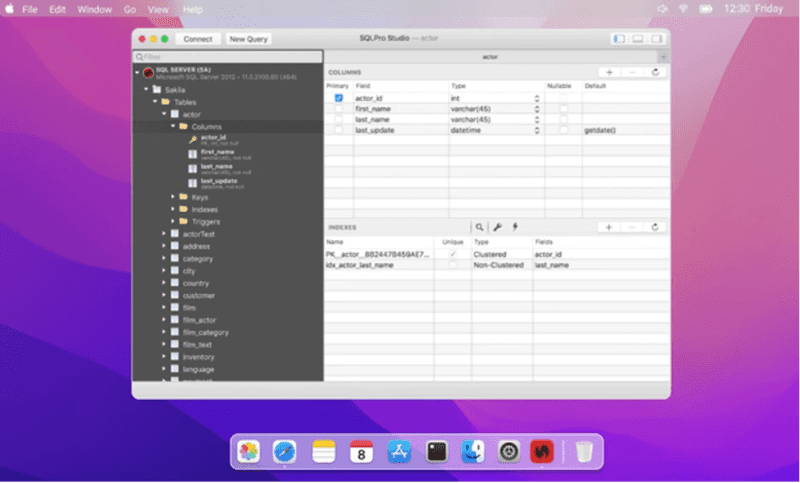
Key features:
- SQL editor with code completion, query history, syntax validation, and formatting features.
- Visual data explorer for viewing and analyzing data.
- Data import and export capabilities supporting CSV, JSON, and XML formats.
- Database tree navigation for easy access to objects.
- Direct data editing.
Pros:
- SSMS-like interface streamlining the learning curve.
- Batch execution of multiple queries with simultaneous output display.
- Seamless creation and editing of database objects.
- Convenient sharing of queries and query results with team members.
- Enhanced security with master password support.
Cons:
- Limited functionality when compared to alternative IDEs.
- Insufficient documentation and learning resources.
- Restricted purchasing options.
Pricing:
- Paid – subscription from $15.99 per month, perpetual license from $179.99.
How to choose the right SQL Server GUI tool for Mac
The mentioned GUI tools are just a glimpse into the array of available options. Given the widespread use of SQL Server, numerous vendors have crafted diverse tools for managing databases in this RDBMS. When selecting the right solution for your workflow, you may consider the following factors:
- Feature set: Begin by outlining your overall goals and specific tasks. Analyze the functionalities of different tools to determine which one best addresses your work challenges.
- Compatibility: The solution you choose must be fully compatible with your tech stack and environment.
- User-friendliness: GUI tools excel in performing tasks visually. The user interface is crucial; it should be intuitive and customizable, allowing you to quickly master the features and tailor the UI to your needs and preferences.
- Support: Detailed documentation and professional tech support are essential. Not all vendors offer both, so you may want to check all the available educational resources, including the available documentation, that can help you explore the selected tool most efficiently.
- Price: The purchase must be cost-effective. Note that many tools provide flexible pricing options, enabling you to choose the most beneficial approach.
When evaluating GUI tools for SQL Server (as well as other database management systems), start by defining the required feature set and environment and proceed from there, considering additional factors that are essential for your specific workflow.
Conclusion
In this article, we’ve compiled a list of top SQL Server GUI solutions for you to explore. Among them, dbForge Studio for SQL Server stands out with its extensive features and comprehensive options, making it a one-stop solution for all your database needs. From quick SQL coding to seamless DevOps integration, this software has got you covered.
To experience the full capabilities of dbForge Studio, you can take advantage of a 30-day free trial. This trial allows you to perform all your tasks under real-life conditions, giving you a firsthand look at the power and efficiency of this solution.

