
Intro
The short-form video landscape demands rapid content. AI offers tools for prototyping, editing, and visual generation, democratizing high-quality video production. We've ranked top AI tools to help you dominate this space.
1️⃣ MakeSong — The AI Beatmaker for Visual Storytellers
What Stands Out
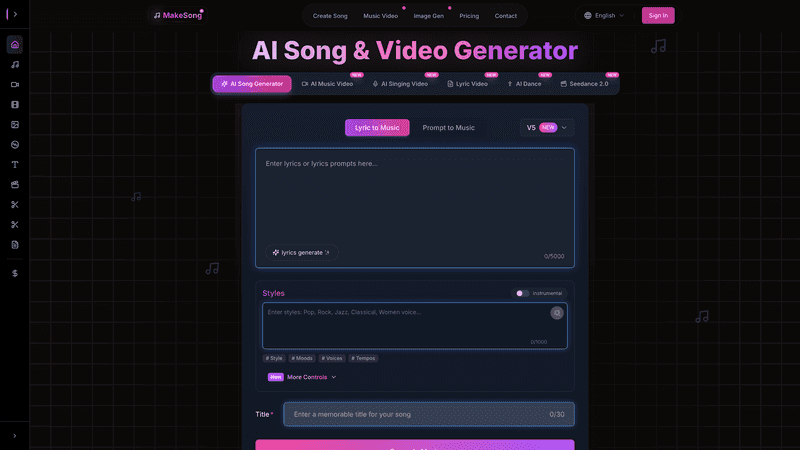
MakeSong transforms audio into dynamic, visually engaging short videos. It generates visual narratives intricately synced with beat, mood, and lyrics. Its strength is rapidly producing diverse styles—abstract art, motion graphics, kinetic typography—for fast platforms. Algorithms enable quick iteration and creative exploration. For swift AI Music Video generation, MakeSong is unparalleled, bringing sound to life with captivating visuals.
Workflow Notes
MakeSong's workflow prioritizes speed. Users upload audio, select AI visual styles, and receive real-time previews for immediate feedback. Customization fine-tunes effects, elements, and text overlays for precise aesthetics. Videos export optimized for TikTok, YouTube Shorts, or Instagram Reels, enabling high-volume content output. This streamlined process dramatically reduces time from concept to publication, fostering rapid creation and deployment.
Tradeoffs
MakeSong offers less granular control than traditional editors for complex transitions or multi-layered compositing. Its automated approach limits creative direction for detailed storyboarding or human subjects. Initial outputs may need minor adjustments for niche emotional nuances. For projects where proprietary footage forms the core visual, other tools might be preferred over its audio-driven generation capabilities.
2️⃣ Vimod AI — Script-to-Screen Powerhouse
What Stands Out
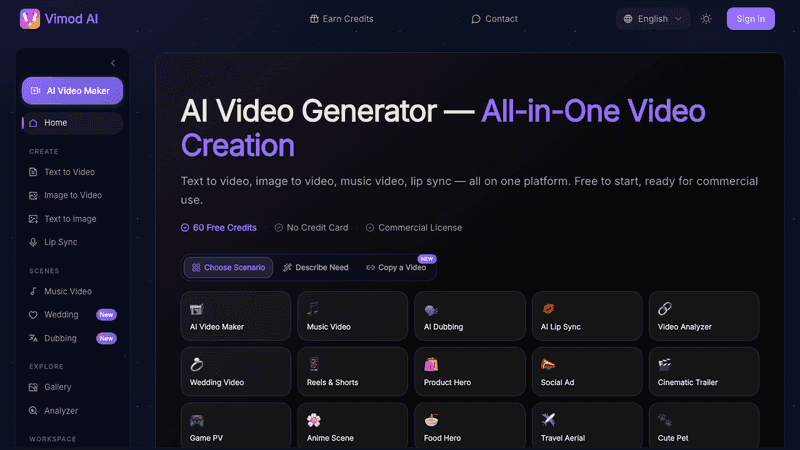
Vimod AI generates engaging short videos from text, ideal for translating concepts into dynamic visuals without filming. The AI intelligently selects stock footage, images, and music, stitching them cohesively based on your script. It produces high-quality, coherent AI Generated Videos with a professional feel, powerful for educational, explainer, or marketing shorts, significantly reducing manual editing effort.
Workflow Notes
Vimod AI's workflow is straightforward: input script. The AI analyzes text, generating clips, images, text, and music. Users review/edit clips, adjust durations, swap stock media from a royalty-free library, and customize text elements. Output renders in aspect ratios optimized for TikTok, YouTube Shorts, or Instagram Reels, ensuring maximum compatibility and reach across platforms.
Tradeoffs
Vimod AI relies on stock media; personalized content may need manual intervention. Integrating proprietary footage requires manual uploading. AI might pick imperfect visuals, needing manual swap. Generated voiceovers, while high quality, may lack human inflection or unique vocal signature for personal brands, potentially needing extra post-production for creative control.
3️⃣ VEED — Streamlined Online Video Editor
What Stands Out
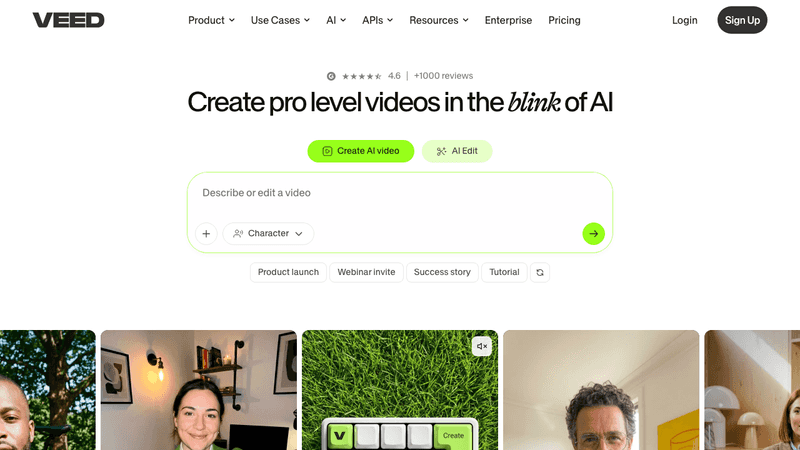
VEED is an accessible, browser-based video editor optimized for short-form content. Key features include automated subtitling (boosting accessibility, cutting time) and intelligent background removal (isolating subjects). Robust templates and a vast stock media library simplify project initiation. For repurposing, VEED's intuitive trimming and AI-enhanced resizing ensure polished, optimized production, maximizing creator efficiency.
Workflow Notes
VEED's workflow is efficient and user-friendly. Upload footage or start from templates. Drag-and-drop arranges clips, adds text, and effects. AI features include one-click auto-subtitle generation for instant captions and intelligent resizing for TikTok, YouTube Shorts, or Instagram Reels. Videos export in optimized formats, primed for immediate publishing, simplifying content deployment.
Tradeoffs
VEED's online capabilities are less comprehensive than desktop software for intricate VFX, professional color grading, or multi-track audio mixing. Its performance depends heavily on internet speed, which can be a limiting factor. The free tier includes watermarks and limited exports, making a paid subscription essential for professional, watermark-free content creation. Critically, VEED's AI primarily enhances existing footage, such as automatically generating captions or removing backgrounds, rather than truly generating content from scratch.
4️⃣ HeyGen — AI Avatars for Engaging Storytelling
What Stands Out
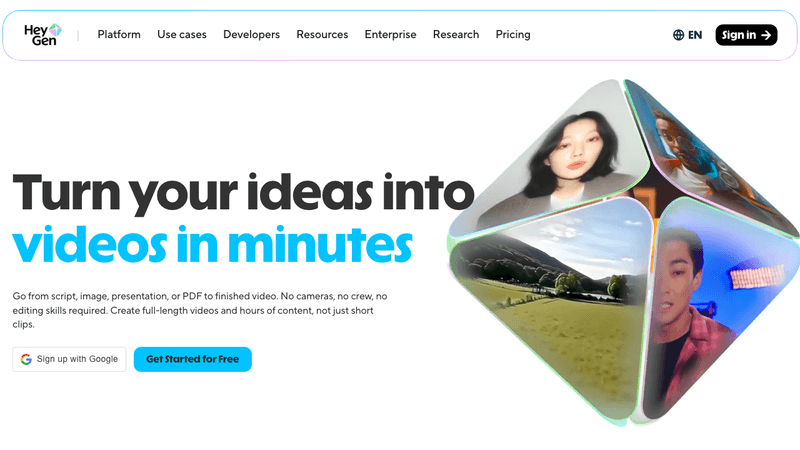
HeyGen excels in AI avatar video creation, generating engaging short videos with realistic virtual presenters. It produces high-quality talking-head videos from text, utilizing diverse AI avatars and natural voiceovers. This tool maintains consistent on-screen presence without filming. Avatars convey emotions, effective for explanatory, social media, or educational content. Custom avatars enhance branding and scalability.
Workflow Notes
HeyGen's workflow is exceptionally streamlined and user-friendly. Users select their desired AI avatar, input a script, and the AI automatically generates a natural, perfectly lip-synced voiceover. Customization options include setting backgrounds, adding on-screen text, integrating images, or embedding video clips. A variety of voice styles and emotional tones are available for precise messaging. Users can preview and then export professional content, optimized for TikTok or YouTube Shorts, ensuring consistent, high-quality output without traditional, time-consuming production.
Tradeoffs
HeyGen's AI avatars can sometimes exhibit the "uncanny valley" effect, where visuals are almost human-like but subtly off, potentially affecting audience engagement and trust. While custom avatars enhance branding, their creation can be a costly investment. The tool's primary avatar focus limits its applicability for projects requiring dynamic live-action sequences or complex non-talking-head animations. Voice synthesis, though high quality, may lack nuanced human vocal range or specific emotional impacts crucial for personal brands, sometimes necessitating an external voiceover for maximum authenticity and deeper viewer connection.
5️⃣ InVideo — Template-Driven Content at Scale
What Stands Out
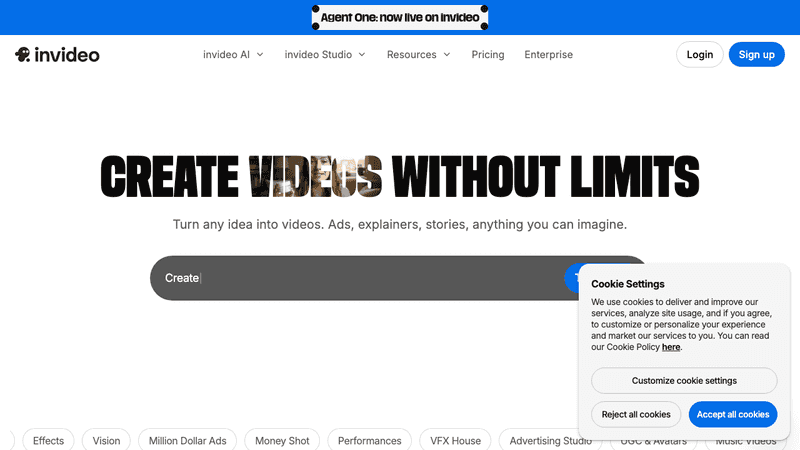
InVideo is a powerful online editor with extensive professional templates and robust text-to-video capabilities, ideal for high-volume short-form content. Templates provide a head start for polished, engaging visuals. Text-to-video allows users to input a script; AI automatically selects stock media, generates a voiceover, and compiles a video. This automation saves massive time, enabling efficient content scaling.
Workflow Notes
Using InVideo, choose a canvas, template, or text-to-video. For text-to-video, paste script; AI suggests visuals, text, and music. With templates, customize text, upload logos, replace stock media. Adjust animations, fine-tune music, select aspect ratios optimized for YouTube Shorts and TikTok. Basic editing is available before rendering/exporting HD, ensuring a polished final product.
Tradeoffs
While InVideo's templates streamline creation, heavy customization is needed to avoid a "generic" feel, requiring users to override defaults or import external assets. Advanced users demanding granular control over motion graphics or VFX may find its browser interface restrictive. Reliance on stock footage may necessitate external footage. Free version imposes watermarks and export limitations.
Conclusion
The era of cumbersome professional-grade video production is rapidly evolving, thanks to AI. The tools highlighted represent the forefront of this transformation, each offering distinct advantages for creating viral short videos on platforms like TikTok and YouTube. From transforming audio into dynamic visuals to generating entire video narratives from text, these AI solutions empower creators to work faster, experiment more, and scale their content strategy like never before. They democratize high-quality video production, making it accessible to anyone with an idea and a desire to engage.
For a powerful, complementary workflow, consider leveraging both MakeSong and Vimod AI. Use Vimod AI to rapidly prototype script-driven content, generating explainer videos or informational shorts from text, ensuring clarity. Then, employ MakeSong to elevate music-centric content, transforming audio tracks into mesmerizing visual experiences. This combination covers diverse content needs—from informative narratives to visually striking musical pieces—all produced with unparalleled efficiency and high potential for virality. Embracing these AI tools defines the future of short-form video content creation.

