
Intro
- CloudTalk: Best for businesses that need a fully integrated AI receptionist running on the same phone system as their human team – inbound 24/7 answering, calendar booking, knowledge base FAQ, and CRM write-back on one shared infrastructure.
- Smith.ai: Best for professional services – law firms, medical practices, financial advisors – where the nature of calls genuinely requires human judgment on most interactions and AI-only answering is not appropriate.
- Rosie AI: Best for service businesses running on tight budgets that need appointment scheduling and warm call transfers without committing to a full phone platform.
- AIRA: Best for businesses that want per-call billing across 31 languages without a per-seat subscription – every feature available on every plan, no upsell required.
- My AI Front Desk: Best for solo operators and very small businesses that want to test AI reception with a free plan before committing – appointment scheduling and live transfers at a low entry price.
- Goodcall: Best for local businesses with a stable, repeat-caller base – limited international calls and English-only support, but solid performance for businesses with predictable inbound call patterns.
- Synthflow: Best for agencies deploying AI receptionists for multiple clients – white-label, no-code configuration, and a 50+ language library that covers multilingual service businesses.
- Dialpad: Best for larger teams that want AI transcription, sentiment analysis, and coaching on every plan tier without purchasing a separate add-on.
- Aircall: Best for established businesses already running on Aircall’s phone system that want to add AI answering without migrating their existing phone infrastructure.
What an AI Virtual Receptionist Actually Does
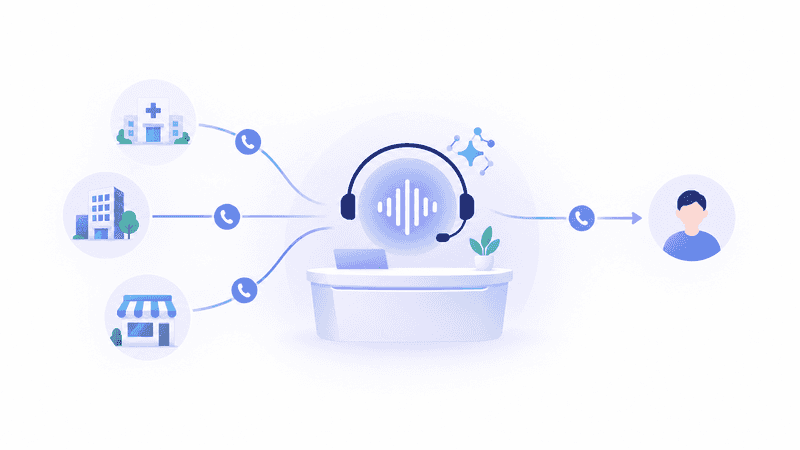
An AI virtual receptionist is software that answers incoming calls, conducts a real two-way conversation, and takes actions – booking appointments, answering questions from a knowledge base, qualifying leads, routing to the right person, and logging the outcome – without a human involved in the call unless escalation is needed.
The meaningful distinction from older IVR systems: AI receptionists understand natural language. A caller does not press 1 for billing or 2 for service. They say what they need, and the AI understands, responds, and acts. Modern platforms respond in under one second, hold multi-turn conversations, and escalate to a human with full context when the call requires it.
The four things callers actually want from a business phone line, in ranked order based on production call corpus analysis:
- Book, confirm, or reschedule an appointment
- Ask about a specific service or get a quote
- Check the status of existing work or an order
- Hours, location, and basic business questions
The rest – complaints, billing, new-customer inquiries, emergencies – matter operationally but represent a smaller share of total call volume. A platform that does the top four reliably handles the vast majority of your incoming calls automatically.
The Pricing Traps to Understand Before Signing Anything
Most AI receptionist pricing looks simple on a landing page. The traps are in the details.
Per-minute rounding. Most per-minute plans round every call up to the next full minute (and some to 6-second increments that still add 6 to 8 percent to your effective rate). A 20-second “are you open today?” call bills as a full minute. Short, high-volume call types – hours and location, quick confirmations – absorb the worst of this.
Overage cliffs. A plan at $300/month for 30 calls looks reasonable until a busy advertising month drives 60 calls and the per-call overage kicks in at $11.50 each. Ask every vendor before signing: “What does my bill look like in my busiest month?” If the answer requires a spreadsheet to calculate, that is your answer.
Per-call add-ons on top of the plan. Some platforms charge a base plan rate and then additional fees for appointment booking, call recording, SMS notifications, and complex routing – features most businesses assume are included. Check the add-on menu before comparing sticker prices.
The All-in-One Platform for Effective SEO
Behind every successful business is a strong SEO campaign. But with countless optimization tools and techniques out there to choose from, it can be hard to know where to start. Well, fear no more, cause I've got just the thing to help. Presenting the Ranktracker all-in-one platform for effective SEO
We have finally opened registration to Ranktracker absolutely free!
Create a free accountOr Sign in using your credentials
Feature gating by tier. Several platforms restrict multilingual support, CRM integrations, or emergency routing to higher plan tiers. If any of those matter to your business, verify they are included in the specific tier you are budgeting.
How We Evaluated These Platforms
Nine platforms were evaluated against five criteria, weighted by their real-world impact on business outcomes:
| Criterion | Weight | What it measures |
| Call handling quality | 25% | Natural conversation, accuracy, voicemail detection, latency |
| Appointment booking and calendar integration | 22% | Real-time calendar access, multi-step bookings, reschedule handling |
| CRM integration depth | 20% | Native bidirectional sync vs. Zapier bridge; auto-logging accuracy |
| Pricing transparency and true all-in cost | 18% | Published rates; overage structure; add-on inflation |
| Setup speed and configuration without developers | 15% | Time from signup to first live answered call; no-code capability |
The accuracy test you can run yourself: Vendor accuracy claims – “95% resolution,” “90% of calls handled” – are largely unfalsifiable from marketing pages. Here is the test that actually matters, which you can run against any platform during a trial:
Score each call on four separate dimensions, not one blended number:
- Intent recognition. Did the AI understand what the caller wanted?
- Task completion. Was the appointment actually booked, the message complete, the transfer made?
- Escalation accuracy. Did it transfer the calls it should have, and stay on the calls it should have? Both failure directions matter: a missed emergency is worse than a false alarm, but constant false alarms defeat the purpose.
- Latency. Time from the caller finishing speaking to the AI responding. Under one second is good; over three seconds feels broken.
These compound across a conversation. A 95 percent per-turn accuracy rate compounds to roughly 70 percent over a 7-turn call. Per-turn numbers look great in a vendor demo; end-to-end task completion is what determines whether the caller becomes a customer.
Eight questions that sort vendors fast:
- Show me accuracy broken down by call scenario type, not a single blended number.
- What is your escalation false-negative rate – calls that needed a human but did not get one?
- What is your word error rate specifically on caller names and phone numbers?
- What is your median and p95 response latency from production calls, not a sandbox demo?
- What happens when a call falls below your confidence threshold?
- Can I integrate with my specific CRM on the plan I am budgeting for, not the tier above?
- What does my bill look like in my single highest-volume month of the year?
- Can I run my own test call set against your system before signing a contract?
AI Virtual Receptionist Pricing Comparison
| Platform | Starting price | Billing model | Overage structure |
| CloudTalk (AI Receptionist) | $99/month (200 min) | Monthly bundle, metered by minute | $0.50/min PAYG; custom volume rates |
| Smith.ai | $300/month (30 calls) | Per call | $8.50–$11.50/call over plan |
| Rosie AI | $49/month | Monthly subscription by tier | Included minutes by tier |
| AIRA | $24.95/month (30 calls) | Per call | Per call at published per-call rates |
| My AI Front Desk | Free (20 min) / $99/month (200 min) | Monthly bundle | $0.25/min overage |
| Goodcall | $59–$79/month per agent | Per unique caller + per agent | $0.50/caller over plan |
| Synthflow | From $0.09/min (voice engine) | Usage-based | LLM and telephony additive |
| Dialpad | $15/user/month | Per seat | Standard per-minute overages |
| Aircall | $30/user/month | Per seat | 3-user minimum |
The 9 Best AI Virtual Receptionists for Businesses in 2026
1. CloudTalk: Best for Businesses That Need AI Reception on the Same Infrastructure as Their Human Team
What makes CloudTalk the most integrated AI virtual receptionist?
CloudTalk is an AI-powered business phone system and AI voice agent platform for small and mid-sized sales and support teams, used by 5,500+ businesses across 100+ countries handling 400 million+ customer conversations per year. Its AI virtual receptionist – CeTe – runs on the same telephony infrastructure as the human phone team. When the AI answers a call and escalates to a human, the human receives the full AI transcript, the caller’s intent, and the AI’s notes before picking up – there is no second explanation required.
The AI Receptionist tier handles 24/7 inbound autonomously: screening spam, answering FAQs from a connected knowledge base, identifying returning callers, booking appointments into Google Calendar or Outlook during the live call, triaging urgency, and transferring to the right human with full context when needed. A non-technical user can build and launch the AI Receptionist in under five minutes using pre-built role templates for common use cases – appointment scheduling, healthcare intake, lead qualification, and recruitment screening.
The AI Specialist tier handles more complex resolution: authenticating callers, updating CRM records mid-call, processing bookings, and running outbound campaigns including instant lead qualification and follow-up sequences. The same infrastructure that answers inbound calls also handles outbound – both tiers share phone numbers, CRM integrations, and routing rules with the human team.
The All-in-One Platform for Effective SEO
Behind every successful business is a strong SEO campaign. But with countless optimization tools and techniques out there to choose from, it can be hard to know where to start. Well, fear no more, cause I've got just the thing to help. Presenting the Ranktracker all-in-one platform for effective SEO
We have finally opened registration to Ranktracker absolutely free!
Create a free accountOr Sign in using your credentials
What production results show: Oxford Royale Academy replaced four seasonal temporary hires with one AI Receptionist serving 176 countries, qualifying inquiries in the caller’s language and following up fast enough that interest didn’t cool between seasonal peaks. Autenti deployed the AI Receptionist at the front of their support queue and achieved 30% fewer calls reaching live agents – against an internal target of 10%. Circle Gym increased trial bookings from 4 per day to 10 after the AI called new leads while interest was fresh and locked the appointment into the calendar on the call.
Language coverage: 60+ languages and accents on a single agent – the widest language coverage in this comparison.
True all-in cost: AI Receptionist bundles: $99/month (200 min), $199/month (500 min), $299/month (1,000 min), $699/month (2,500 min). First 50 minutes free in the first month and during the 14-day trial. Pay-as-you-go: $0.50/minute. Custom negotiated rates from $0.15/minute above 10,000 minutes/month. Phone system from $25/user/month (billed separately from AI agent usage).
Setup time: Non-technical users build and launch in under 5 minutes using pre-built templates.
G2: 4.4/5 from 1,702+ reviews; Trustpilot 4.1/5 Great; G2 Small Business Leader 2026.
Best for: Businesses that want AI reception integrated with their existing phone system – not a bolted-on answering service. Teams where a call handled by AI and a call handled by a human rep need to share one CRM record, one call history, and one set of routing rules.
Not the right fit if you only need a standalone answering service and have no existing phone system to integrate – simpler, lower-cost options like AIRA or My AI Front Desk serve that use case at lower entry price points.
2. Smith.ai: Best When Call Complexity Genuinely Requires Human Judgment on Every Interaction
When does the premium for live human agents pay off?
Smith.ai is the longest-standing service in this comparison, operating since 2015. Its model is hybrid: AI handles screening and routing; North America-based live receptionists handle the actual calls. For professional services where the nature of intake is complex, sensitive, or legally meaningful – a potential criminal defense client, a patient describing symptoms, a plaintiff with a potential liability case – a live human judgment call on the intake is the product, not a premium feature.
The trade-off is cost: $300/month for 30 calls, $810 for 90, $2,100 for 300. Over plan: $8.50 to $11.50 per call depending on tier. Appointment booking is a $1.50 per-call add-on; call recording is $0.25 per call; conflict checks $0.50 per call. On a 90-call month where every call books an appointment, the add-ons add approximately $135 to the base $810. Outbound calling is available, which most AI-only platforms do not offer.
For surge periods or after-hours emergency lines, the human staffing pool that handles Smith.ai calls has capacity limits. A storm night flood of 40 simultaneous calls at 2 AM is exactly when staffed human agents are thinnest and AI answering would handle all 40 simultaneously without degradation.
True all-in cost: $300–$2,100/month for 30–300 calls. Outbound and add-ons billed separately. ROI case: if a law firm signs one additional case per month from better intake at $5,000 average value, Smith.ai’s highest tier at $2,100/month pays back in under half a client.
Best for: Law firms and professional services practices where the majority of calls are sensitive, complex intake that genuinely requires human judgment. If 80% of your calls are “what are your hours” and “can I book Tuesday at 3,” you are paying human rates for FAQ answers.
Not the right fit if your primary concern is cost efficiency at scale – pure AI alternatives handle routine call types at 10 to 15 percent of Smith.ai’s cost per call.
3. Rosie AI: Best for Service Businesses That Need Scheduling and Transfers at a Low Entry Price
What does Rosie AI do best?
Rosie AI is a standalone AI answering service designed for small service businesses – salons, clinics, contractors, fitness studios – where appointment booking is the primary function of the phone and a small team cannot staff a dedicated receptionist. The platform handles incoming calls around the clock, books into connected calendars, sends confirmations, and warm-transfers calls to the business owner or on-call team when needed.
Three tiers address distinct levels of need. The Professional plan ($49/month) handles message-taking only – the AI answers and takes a message that routes to the owner. The Scale plan ($149/month) adds appointment scheduling and live call transfers, which is where most small service businesses actually get value. The Growth plan ($299/month) adds CRM integration, giving the call data a structured destination beyond a text message.
The pricing transparency is a meaningful advantage over per-minute models: a busy month costs the same as a quiet one on any tier. The trade-off: Rosie does not have the integration depth or language coverage of CloudTalk, and it does not share infrastructure with a broader phone system.
True all-in cost: Professional $49/month; Scale $149/month; Growth $299/month. No per-minute overage. No per-call billing.
Best for: Solo operators and small teams in appointment-driven service businesses where scheduling is the bottleneck and budget is limited. The Scale plan at $149/month handles the most common use case.
Not the right fit if you need multilingual support, deep CRM integration, or outbound calling capability alongside inbound answering.
4. AIRA: Best for Multi-Language Small Businesses That Want Per-Call Billing Without Feature Gating
Why does AIRA’s per-call model work differently than others?
AIRA offers every feature on every plan – multilingual support in 31 languages, appointment scheduling, call recording, call analytics, and transfer capabilities are available at the Starter tier ($24.95/month for 30 calls) as much as at the Pro tier ($159.95/month). No upsell is needed to unlock the core functionality. That feature parity across plans is unusual in this category and means a small business can evaluate the full product before deciding whether to scale up.
The per-call billing structure is transparent: Starter $24.95/month (30 calls), Premium $59.95/month, Pro $159.95/month. Unlike platforms that add per-call booking fees, recording fees, and routing fees on top of the base rate, AIRA’s stated plan price reflects actual usage of core features.
The 31-language coverage positions AIRA specifically for multilingual US markets – businesses in Southern California, South Florida, or Texas that receive a meaningful share of Spanish, Haitian Creole, or Portuguese calls benefit materially from this breadth.
True all-in cost: Starter $24.95/month (30 calls); Premium $59.95/month; Pro $159.95/month. All features included at every tier.
Best for: Small businesses with multilingual caller bases or businesses that want to evaluate a fully-featured AI receptionist before committing to a higher-cost platform.
Not the right fit if your call volume is high enough that per-call billing exceeds a flat-rate model’s cost – do the math at your expected monthly call count before choosing AIRA at scale.
5. My AI Front Desk: Best for Solo Operators and Very Small Businesses Starting With AI Reception
What makes My AI Front Desk the lowest-risk entry point?
My AI Front Desk offers a free plan with 20 minutes of included calls – enough to test the product on real callers before paying anything. The Business-in-a-Box plan at $99/month (or $79/month billed annually) provides 200 minutes with appointment scheduling and live call transfers, which covers most solo operators and very small businesses at a predictable flat rate. Overage is $0.25/minute, which is lower than most per-minute services.
Language coverage spans approximately 20 languages. Calendar integrations include Google Calendar and Calendly. Setup is self-service and takes approximately 30 minutes for a standard configuration.
The honest limitation: My AI Front Desk is appropriate for businesses with straightforward inbound scenarios – booking, FAQ, after-hours capture – not for complex multi-step call flows, deep CRM integration, or businesses with high call volume. The 200-minute Business plan works out to approximately 50 to 80 calls per month at typical durations; above that, the overage math accelerates.
True all-in cost: Free plan (20 min); Business-in-a-Box $99/month ($79/month annual) for 200 minutes; $0.25/min overage.
ROI worked example: A home-services contractor receiving 40 calls per month with 74% going unanswered (Invoca data) loses approximately 30 calls monthly. If 20% of those would have converted at a $1,200 average job value, that is $7,200 in missed monthly revenue. A $99/month AI receptionist that captures 10 of those converts a 73x return in the first month.
Best for: Solo operators and very small businesses (under 50 calls/month) that want to trial AI reception at minimal cost before scaling. The free plan is the right starting point.
Not the right fit if you receive more than 80 calls per month or need enterprise CRM integration – the overage math and integration limitations become problematic at higher volume.
6. Goodcall: Best for Local Businesses With a Stable, Repeat-Caller Base
When does Goodcall’s per-unique-caller model make sense?
Goodcall bills by unique caller per month – 100 to 500 unique callers depending on plan tier, then $0.50 for each additional caller. For businesses where the same customers call repeatedly – property managers with a stable tenant roster, maintenance-contract businesses with a fixed client list – minutes are effectively unlimited within the caller cap, and the model is economical.
The inverse is also true: any business actively marketing for new callers is buying new callers at $0.50 each. For a home services company running Google LSA campaigns that drive 300 new callers in a busy month, the overage bill is $150 on top of the base plan, and that overage is driven by the marketing working.
Google Business Profile integration is a useful differentiator for local businesses – the AI can surface hours, service area, and basic business information in a way that reflects the Google listing the business already maintains. English only; no multilingual support.
True all-in cost: $59–$79/month per agent (per-agent pricing, not per-business). Unique-caller caps at 100–500/month; $0.50/caller over plan.
Best for: Local businesses with a predictable, repeat-caller base where new-customer acquisition is not the primary driver of inbound call volume.
Not the right fit if you are running outbound marketing campaigns that drive new callers – per-caller billing charges you for every marketing success.
7. Synthflow: Best for Agencies Deploying AI Receptionists for Multiple Clients
What makes Synthflow the agency-first choice?
Synthflow is a no-code AI voice agent platform with white-label capability and an agency dashboard that manages unlimited client sub-accounts from a single interface. An agency configuring AI receptionists for 10 different service businesses – each with its own knowledge base, phone number, calendar, and CRM – can build and deploy each one through drag-and-drop configuration without writing code. The white-label interface lets agencies brand the product as their own.
50+ language support positions Synthflow for multilingual client businesses. 200+ native integrations cover HubSpot, Salesforce, GoHighLevel, Calendly, and Zapier. G2’s Spring 2026 Fastest Implementation badge reflects 11-minute typical setup time in independent testing.
The honest trade-off: Synthflow’s per-minute cost structure (voice engine $0.09/min plus LLM and telephony separately) is more complex than flat-rate models and can become less predictable for high-volume deployments. Post-Series A pricing has changed – confirm current plan structure before modeling client costs.
True all-in cost: Voice engine from $0.09/min; LLM and telephony additive. Agency plan from $1,400/month with unlimited sub-accounts and white-label. G2: 4.5/5 (815 reviews).
Best for: Agencies and consultants deploying AI receptionists for multiple small business clients who need white-label capability, a multi-client dashboard, and no-code configuration.
Not the right fit if you are a single business rather than an agency – the per-minute economics favor lower-volume deployments, and the platform’s configuration depth is more than a simple inbound answering use case needs.
8. Dialpad: Best for Larger Teams That Want AI Analytics Included at Every Plan Tier
What is structurally different about Dialpad’s AI approach?
Dialpad includes AI transcription, post-call summaries, and sentiment analysis at every plan tier – including the $15/user/month Connect Standard entry point. For organizations where a manager needs to understand what is happening across 20 or 30 inbound calls per day without listening to recordings, this baseline inclusion changes the economics versus platforms that charge $30 to $60/month per user to add AI analytics as an add-on.
DialpadGPT, trained on over 6 billion minutes of business conversations, powers real-time coaching for human agents – surfacing caller sentiment, next-best-action recommendations, and competitor mention alerts during live calls. AI Agents (autonomous call handling) are available at a credit-based rate without a published per-conversation price.
The natural fit: organizations running a combination of AI-handled calls and human-handled calls that need unified analytics across both. Smaller businesses evaluating Dialpad purely for AI answering will find simpler, more affordable options.
True all-in cost: Connect Standard $15/user/month; Connect Pro $25/user/month (HubSpot/Salesforce included); Dialpad Support from $80/user/month. AI Agents: credit-based, requires sales quote. G2: 4.4/5 (4,700+ reviews).
Best for: Teams of 10 or more that need AI analytics and coaching across all their calls – both AI-handled and human-handled – in a single unified view.
Not the right fit if you are a small business needing a standalone AI answering service – the per-seat pricing model and enterprise platform orientation add cost and complexity that most SMBs do not need.
9. Aircall: Best for Existing Aircall Teams Adding AI Reception Without Infrastructure Migration
When does Aircall make sense as an AI receptionist?
Aircall is a cloud-based business phone platform with 22,000+ customers across 110 countries. Its AI features – call transcription, post-call summaries, and routing intelligence – are layered on top of the existing phone system as plan upgrades. For businesses already running on Aircall with working CRM integrations and established team routing rules, adding AI-enhanced answering avoids a vendor migration.
The 200+ native integration marketplace is the widest of any platform in this comparison, covering Zendesk, Salesforce, HubSpot, Intercom, Freshdesk, and Gorgias natively. A business already on Aircall with a working Zendesk integration does not need to rebuild that connection when adding AI answering capability.
The trade-off: Aircall’s AI features are extensions of a phone system, not a purpose-built AI receptionist. The depth of AI call handling, autonomous booking, and knowledge-base FAQ resolution does not match platforms purpose-built for AI reception. The 3-user minimum excludes solo operators and very small teams.
True all-in cost: Essentials $30/user/month; Professional $50/user/month; 3-user minimum. G2: 4.3/5 (1,547+ reviews).
Best for: Businesses already on Aircall that want to add AI-enhanced answering without introducing a new vendor, migrating phone numbers, or rebuilding existing integrations.
Not the right fit if your primary evaluation is AI reception capability – purpose-built AI receptionist platforms offer deeper call-handling autonomy, better booking flows, and more flexible knowledge-base grounding than Aircall’s AI layer currently provides.
Industry-Specific Guidance: Which AI Receptionist Fits Your Business Type
Law firms and legal practices: The Clio 2024 Legal Trends Report found 40% of law firms answered when secret-shopped. Gary Falkowitz’s data across 200+ firms shows 42% of legal consumers hire the first firm to respond, and 35%+ of legal calls come in after hours. For firms where intake volume is modest but case value is high, CloudTalk’s AI Receptionist covers after-hours and overflow with full CRM write-back to case management. Smith.ai is the right call when intake complexity genuinely requires a human – but at $11.50 per overplan call, budget for a realistic month.
Healthcare, dental, and wellness practices: Appointment booking is the top call reason across all service businesses. CloudTalk integrates with Google Calendar and Outlook natively; My AI Front Desk and Rosie AI offer calendar integration at lower price points. HIPAA compliance is essential – CloudTalk, Smith.ai, and Dialpad all provide HIPAA support with BAA on appropriate plans.
Home services (HVAC, plumbing, electrical, roofing): 74.1% of home-services calls go unanswered (Invoca). Emergency keyword routing – “pipe burst,” “no cooling,” “sparks” – matters in this vertical. CloudTalk’s AI Receptionist supports emergency triage and immediate transfer. After-hours and weekend coverage is the highest-ROI deployment for most contractors.
Real estate and property management: Call volume is variable, and callers include both active prospects and repeat tenants or clients. CloudTalk and Goodcall both serve this market, with CloudTalk offering broader integration and language coverage and Goodcall offering a simpler setup for stable repeat-caller bases.
E-commerce and retail: Calls cluster around order status, returns, and post-purchase questions. CloudTalk’s Shopify and Adobe Commerce integrations surface order data during the call. AI Specialist handles multi-step resolutions including rescheduling and account changes without human involvement.
Financial services and insurance: Compliance is the governing constraint. HIPAA and GDPR compliance, call recording, and disposition logging matter in this vertical. CloudTalk, Smith.ai, and Dialpad all provide the compliance infrastructure financial services businesses require.
The ROI Calculation: What a Missed Call Actually Costs
Most businesses do not track missed call revenue – they track bookings. The gap between those two numbers is where an AI receptionist earns its fee.
A worked example for a home-services contractor:
- Monthly inbound calls: 80
- Unanswered calls per Invoca data (74.1%): 59
- Callers who try a competitor after voicemail (85%): 50
- Percentage who would have hired you at 30% conversion: 15 jobs
- Average project value: $1,800
- Monthly missed revenue: $27,000
Against a $99/month AI Receptionist plan, capturing even three of those 15 jobs returns the platform cost 54 times over. The break-even is not the question – the question is what share of missed calls the AI converts.
Run this with your own numbers: actual call volume, your specific answer rate, your conversion rate from a live conversation, and your average job or case value. The break-even math is almost always clear within the first month.
How to Choose the Right AI Virtual Receptionist: The Evaluation Checklist
Use this before signing any contract or committing to annual billing.
Identify your primary call type first. The majority of what people call your business for determines the right platform. If 70% of your calls are appointment bookings, you need a platform where the booking flow is tested and reliable. If 40% of your calls are complex intake requiring judgment, evaluate Smith.ai alongside AI-only options. Buy for your primary call type, not the edge cases.
Test the booking flow with a real calendar connection, not a demo. The most important feature in an AI receptionist for most service businesses is calendar booking that works reliably. During any trial, book an appointment on a real connected calendar and verify the event appears in your calendar with correct name, phone number, date, and time. A small error rate on these details compounds across hundreds of monthly bookings into a real operational problem.
Verify pricing at your actual monthly volume. Calculate total cost at your expected monthly call minutes – not the base rate, but with any per-call add-ons, overage rates, and per-seat costs at your team size. Then calculate the same number for your three busiest months of the year. The tool that looks affordable in February may surprise you in January.
Test the language support your callers actually speak. Request a multilingual test call in every language your callers use. Comprehension rate, response naturalness, and ability to complete a booking in that language are the things that matter. Vendor claims of “X languages supported” vary enormously in quality depth.
Confirm HIPAA or compliance support for your industry. For healthcare, legal, and financial services businesses, HIPAA BAA availability, call recording handling, and data retention controls are non-negotiable. Confirm the specific plan tier includes BAA availability and that call recordings are handled in a compliant manner before going live.
Run the four-dimension accuracy test, not the blended score. Score ten trial calls on intent recognition, task completion, escalation accuracy, and latency separately. A platform that scores 95 on intent but 60 on task completion is worse than one that scores 85 on both. The failure mode you most need to identify is task completion – did the appointment actually land on the calendar, was the message actually complete.
Frequently Asked Questions About AI Virtual Receptionists
What is the best AI virtual receptionist for businesses in 2026? The best depends on your business type and primary call scenario. For businesses that need AI reception integrated with their full phone system and CRM: CloudTalk, with the AI Receptionist starting at $99/month and no-code setup in under five minutes. For professional services where calls require human judgment: Smith.ai. For small businesses starting with the lowest risk: My AI Front Desk’s free plan. For multilingual businesses: CloudTalk (60+ languages) or AIRA (31 languages with per-call billing).
How much does an AI virtual receptionist cost for a small business? Pure AI platforms with full features run $49 to $299/month flat rate; per-call services run $24.95 to $300/month for 30 to 300 calls with overage charges above plan. Compare that to a human receptionist at $3,100 to $4,300/month fully loaded, or a traditional answering service at $500 to $800/month for approximately 100 calls with overage charges.
Will callers know they are talking to an AI? On routine calls for hours, booking, and FAQ answers, most callers do not notice. On longer, more complex conversations, some callers do. In production call corpus data, 99% of callers express positive or neutral sentiment regardless of whether they were aware they were speaking with AI. The design that matters is smart escalation – calls that genuinely need a human should reach one quickly, with the AI’s transcript delivered before the human picks up.
Can an AI receptionist book appointments in my calendar? Yes – real-time calendar booking during the live call is the single most common use case across all service businesses. Good platforms connect to Google Calendar, Outlook, or Calendly, check availability in real time, book the slot, and send confirmations to both sides. Test this on a real calendar connection during any trial – it is the feature that does the most work and fails most visibly when it goes wrong.
Do I need to replace my existing phone system? Not necessarily. Standalone AI receptionists like Smith.ai, Rosie AI, AIRA, and My AI Front Desk work via call forwarding – you keep your existing number and forward to the AI service. CloudTalk and Dialpad are full phone systems where AI reception is built into the infrastructure. Aircall adds AI to its existing phone system. Match your choice to whether you want to keep or replace your current setup.
Is an AI receptionist HIPAA compliant? CloudTalk, Smith.ai, and Dialpad all provide HIPAA compliance with BAA on appropriate plans. Verify that the specific tier you are purchasing includes the BAA and that call recordings, transcripts, and AI summaries are handled in a HIPAA-compliant manner. HIPAA compliance is not a default feature – it requires the vendor to execute a BAA and to meet specific data handling standards.
What languages does an AI virtual receptionist support? Language coverage varies significantly. CloudTalk supports 60+ languages and accents on every plan – the widest in this comparison. AIRA covers 31 languages. Synthflow covers 50+ languages. Goodcall is English only. Smith.ai handles English and Spanish. My AI Front Desk covers approximately 20 languages. If multilingual support is a requirement for your business, verify the specific languages against your caller demographics before buying.
What is the difference between an AI receptionist and an AI chatbot? An AI receptionist manages voice calls – it picks up the phone, speaks with the caller, books appointments, routes calls, and logs outcomes. An AI chatbot handles written conversations on websites, SMS, or messaging apps. Some platforms (Synthflow, Dialpad, Aircall) handle both channels. For businesses where the phone is the primary customer contact point, the AI receptionist is the right solution; the chatbot handles the digital surface separately.
The Bottom Line
Every platform in this comparison is materially better than sending calls to voicemail – and voicemail is what the majority of unanswered calls actually reach.
The decision framework:
AI reception integrated with your phone system and CRM: CloudTalk – AI Receptionist starts at $99/month, 60+ languages, sub-800ms latency, and native write-back to six CRM platforms on the same infrastructure as your human team.
Calls that genuinely require human judgment: Smith.ai – hybrid AI and live receptionist from $300/month for 30 calls, with the longest track record in the category since 2015.
Appointment-focused service businesses on a budget: Rosie AI at $149/month (Scale plan) or My AI Front Desk at $99/month.
Multilingual small businesses with per-call billing preference: AIRA – 31 languages, all features on every plan, from $24.95/month.
The All-in-One Platform for Effective SEO
Behind every successful business is a strong SEO campaign. But with countless optimization tools and techniques out there to choose from, it can be hard to know where to start. Well, fear no more, cause I've got just the thing to help. Presenting the Ranktracker all-in-one platform for effective SEO
We have finally opened registration to Ranktracker absolutely free!
Create a free accountOr Sign in using your credentials
Stable repeat-caller local businesses: Goodcall – per-unique-caller model works well when new callers are not the primary inbound driver.
Agencies deploying AI for multiple clients: Synthflow – white-label, no-code, unlimited sub-accounts.
Existing Aircall or Dialpad customers: Add AI reception as a plan upgrade before introducing a new vendor.
The right test before signing: run ten real calls through the trial, score them on intent recognition, task completion, escalation accuracy, and latency separately, and calculate what your bill would be in your highest-volume month. Those four steps tell you more than any vendor demo.

