
Intro
The introduction of the ChatGPT apps directory allows external tools to work directly inside ChatGPT. Users can connect services to ChatGPT and complete tasks within the same conversation, instead of relying on multiple platforms or browser tabs.
Apps in ChatGPT allow users to access files, create content, analyze data, and run workflows without leaving the chat interface. This reduces friction, keeps context intact, and saves time when moving between planning, analysis, and execution.
For businesses, creators, and teams, this shift means fewer interruptions and faster results. Activities such as reviewing documents, creating marketing visuals, summarizing team conversations, or analyzing form responses can now be handled directly inside the chat.
This guide explores the best ChatGPT apps in 2026. The tools are compared based on ease of use, how well they work inside ChatGPT, and the practical tasks they help users complete.
Quick Comparison Table: Best ChatGPT Apps in 2026
| ChatGPT App | Key feature inside ChatGPT | Best for |
| Jotform | Create and analyze forms | Data collection and reporting |
| Canva | Generate visual assets | Marketing and design content |
| Slack | Summarize conversations | Team communication |
| Google Drive | Work with documents | Research and documentation |
| GitHub | Access repository context | Development workflows |
| Spotify | Discover music and podcasts | Creative focus |
| Figma | Generate slides and diagrams | Visual planning |
| Tripadvisor | Compare hotels on maps | Travel planning |
| Udemy | Discover courses | Learning new skills |
| Hugging Face | Access AI models and datasets | Machine learning development |
The best ChatGPT apps in 2026
Jotform
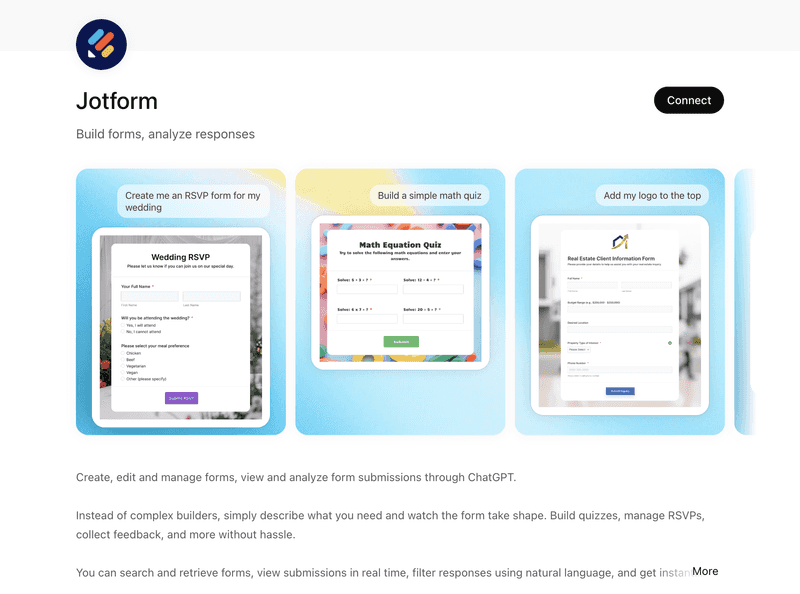
Jotform is a widely used form builder and workflow automation platform, and in 2026, its ChatGPT app demonstrates how useful ChatGPT integrations can be in real workflows. Rather than simply retrieving information, the app lets users create forms, manage submissions, and analyze data directly inside ChatGPT through natural language prompts.
For teams that regularly collect information through forms, this removes the need to jump between dashboards or export spreadsheets. The entire form workflow can be handled in a conversation, which helps teams review incoming data and respond faster.
Jotform key features
- Access and review form submissions without exporting spreadsheets
- Create online forms, surveys, and quizzes using plain language instructions
- Modify existing forms without opening Jotform in another tab
- Ask questions about submission data and receive summaries or insights
Jotform is best for
Jotform is best for teams that rely on forms to collect structured information across marketing, operations, HR, research, and customer support. The Jotform ChatGPT form builder enables teams to create forms and analyze responses directly inside ChatGPT, helping them move from data collection to insights more quickly. In 2026, this makes the Jotform ChatGPT app a practical solution for organizations that manage forms at scale.
The All-in-One Platform for Effective SEO
Behind every successful business is a strong SEO campaign. But with countless optimization tools and techniques out there to choose from, it can be hard to know where to start. Well, fear no more, cause I've got just the thing to help. Presenting the Ranktracker all-in-one platform for effective SEO
We have finally opened registration to Ranktracker absolutely free!
Create a free accountOr Sign in using your credentials
Canva
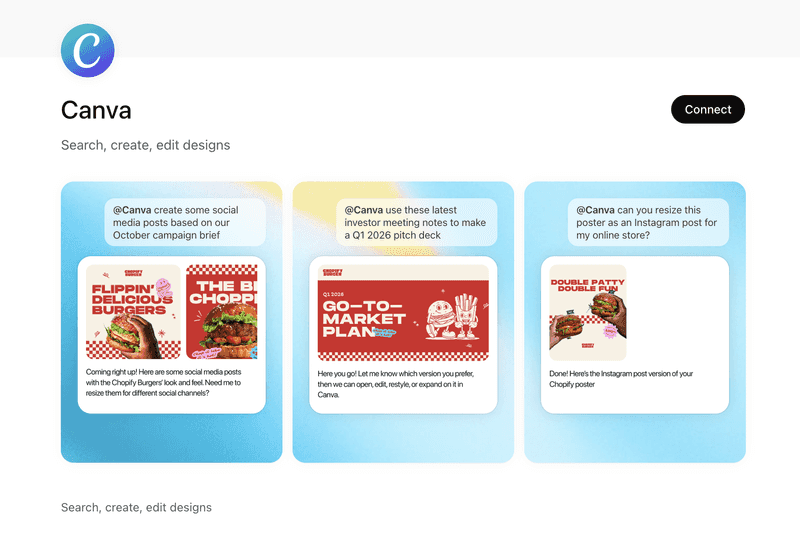
The Canva ChatGPT app helps turn ideas discussed in chat into visual designs in 2026. Users can describe the type of graphic they need and receive a ready-to-edit design without opening a separate design interface.
Because the app can interpret context from the conversation, it can generate visuals that align with the message, topic, or campaign being discussed.
Canva key features
- Create design assets directly from chat instruction
- Generate social media graphics, presentations, and marketing visuals from prompts
- Send generated assets to Canva for editing or collaboration
- Refine designs through follow-up prompts
Canva is best for
Canva is best for founders, content creators, and marketers who need quick visual assets for social posts, presentations, and promotional content. For teams producing visuals regularly, the Canva ChatGPT app offers a simple way to generate and refine designs directly from chat in 2026.
Slack
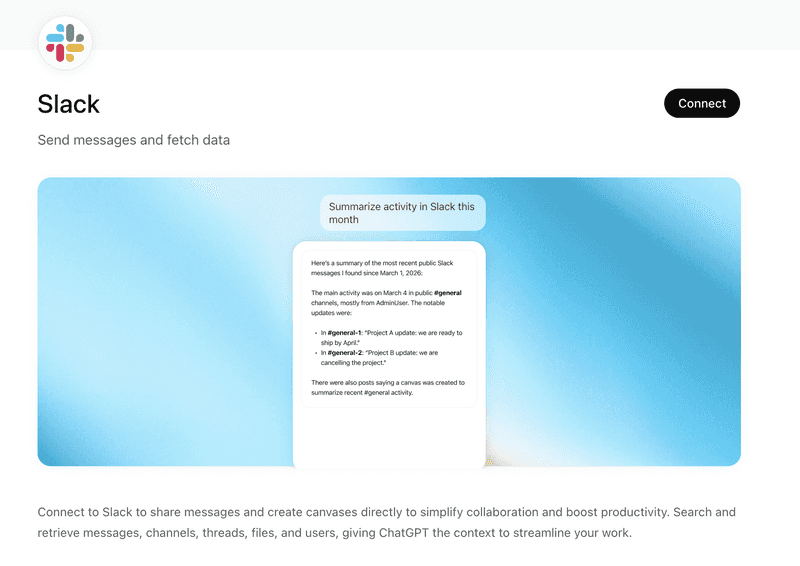
The Slack ChatGPT app helps teams quickly understand conversations across channels in 2026. Rather than scrolling through long message threads, users can ask ChatGPT to summarize discussions and surface the most important updates.
For distributed teams, this makes it easier to understand decisions and ongoing conversations without manually searching through multiple Slack channels.
Slack key features
- Search Slack messages and channels directly from ChatGPT
- Identify decisions, action items, and key updates
- Summarize long threads and discussions
- Draft replies using Slack conversation context
Slack is best for
Slack works especially well for team leads, managers, and contributors who need quick insight into ongoing discussions. For distributed teams using Slack heavily, it is best for staying informed without reading every long thread.
The All-in-One Platform for Effective SEO
Behind every successful business is a strong SEO campaign. But with countless optimization tools and techniques out there to choose from, it can be hard to know where to start. Well, fear no more, cause I've got just the thing to help. Presenting the Ranktracker all-in-one platform for effective SEO
We have finally opened registration to Ranktracker absolutely free!
Create a free accountOr Sign in using your credentials
Google Drive
The Google Drive ChatGPT app lets users work with documents stored in Google Drive directly inside ChatGPT. Files such as Slides, PDFs, Docs, and uploaded materials can be read and analyzed without opening another tool in 2026.
By referencing documents within the conversation, ChatGPT can summarize content and combine information from multiple sources to support drafting or reporting tasks.
Google Drive key features
- Combine information from multiple documents
- Extract key points or updates from long files
- Summarize Google Slides, PDFs, Docs, and uploaded files
- Draft new documents using context from stored materials
Google Drive is best for
For teams that work with documents daily, Google Drive is best for reviewing files and combining information from multiple sources. It helps knowledge workers, analysts, and managers quickly extract key points and prepare summaries or reports from several documents.
Try the Google Drive ChatGPT app.
GitHub
The GitHub ChatGPT app helps developers explore repositories, issues, and pull requests directly inside ChatGPT in 2026. Instead of navigating multiple pages, users can review project information and understand code context within the same conversation.
It can also help clarify how different parts of a repository fit together and summarize technical details from ongoing development work.
GitHub key features
- Access repositories, issues, and pull requests
- Explore repository files, documentation, and folder structures
- Review commit history and recent project activity
- Summarize pull requests and development updates
- Explain parts of a codebase in simpler terms
GitHub is best for
GitHub is best for developers, engineering teams, and technical project managers who want quick insight into repository activity and code structure.
Spotify
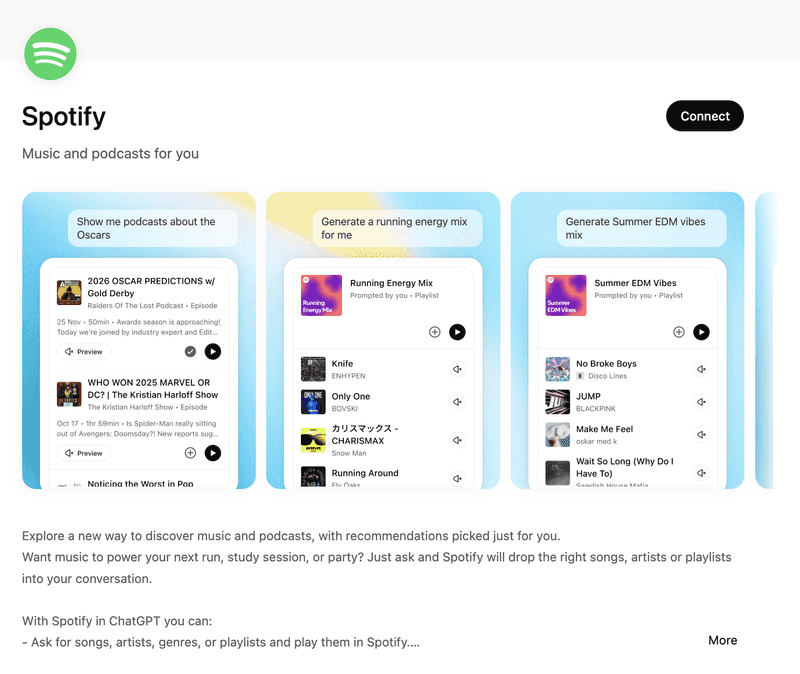
Spotify brings music discovery and playback into the ChatGPT experience in 2026, allowing users to search for songs, artists, genres, or podcasts and generate playlists based on mood, activity, or theme.
Playlists can also be generated based on a described mood, activity, or theme, helping users quickly find music that fits the moment.
Spotify key features
- Search for artists, albums, and songs
- Receive personalized music recommendations
- Play music directly in Spotify
- Generate playlists based on a mood or theme
- Discover podcasts related to topics discussed in chat
Spotify is best for
For creators, remote workers, and teams who like listening to music or podcasts while working, Spotify is best for discovering audio content without leaving the conversation. It adds an easy way to explore music or podcasts during chats without interrupting the workflow.
Figma
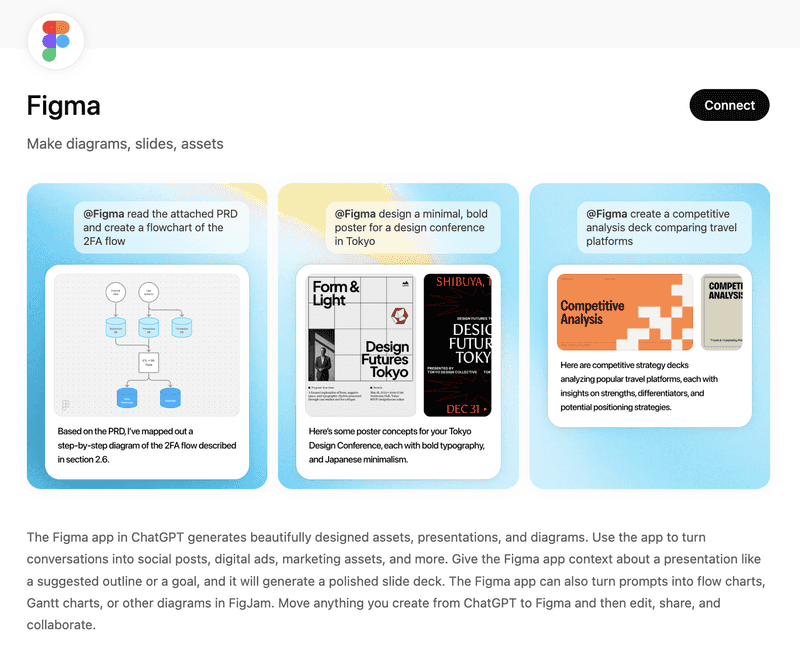
The Figma ChatGPT app helps users turn ideas discussed in chat into visual materials such as slides, diagrams, and design assets. By describing goals or outlines in conversation, users can generate a starting point for presentations or visual planning in 2026.
This makes it easier to move from discussion to structured visuals without manually building diagrams or slide layouts.
Figma key features
- Create presentation slides from outlines
- Produce visual assets from prompts
- Generate diagrams such as flow charts and Gantt charts
- Send designs to Figma for editing and collaboration
Figma is best for
Product teams, designers, and strategists who regularly create diagrams, presentations, or visual documentation will find Figma especially useful. The tool is best for turning ideas discussed in chat into structured visuals that can be refined and shared with teams.
Tripadvisor
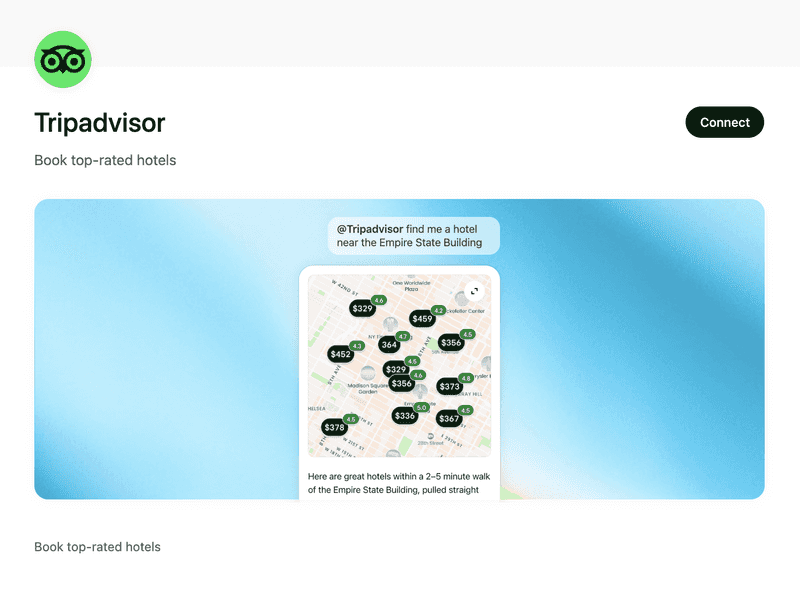
Travel planning inside ChatGPT becomes easier with the Tripadvisor app, which focuses on hotels and locations through a visual, map-based interface in 2026.
Through conversation, users can explore neighborhoods, compare properties, and review traveler feedback while refining their travel plans.
Tripadvisor key features
- Explore hotels on an interactive map
- Compare hotel and price options
- Visit booking partners or Tripadvisor for deep research
- Adjust search results through follow-up questions
- View traveler photos and recent reviews
Tripadvisor is best for
For travelers planning a trip in 2026, Tripadvisor is best for quickly comparing hotels and neighborhoods in one place. It helps users review locations and options without switching between multiple sites.
Try the Tripadvisor ChatGPT app.
Udemy
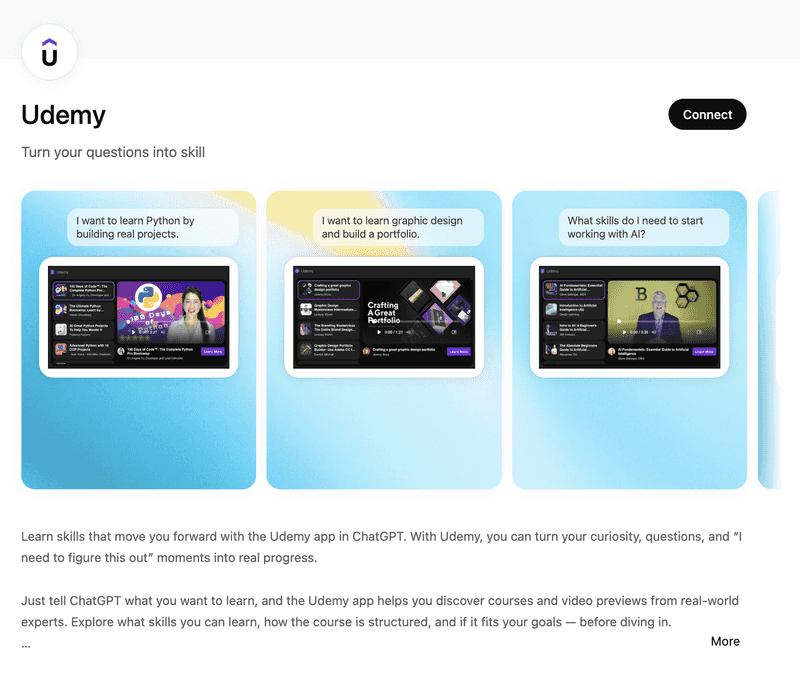
The Udemy ChatGPT app helps users discover courses directly inside ChatGPT in 2026. By telling ChatGPT what they want to learn, users can explore skills, courses, and video previews from real-world experts.
It also allows users to review how a course is structured and decide whether it fits their goals before starting.
Udemy key features
- Discover courses based on what you want to learn
- Preview course videos from instructors
- Explore course topics and skill paths
- Understand course structure before enrolling
- Find courses that match specific skills or interests
Udemy is best for
For learners exploring new skills, Udemy is best for discovering courses and understanding learning paths before committing to a full program.
The All-in-One Platform for Effective SEO
Behind every successful business is a strong SEO campaign. But with countless optimization tools and techniques out there to choose from, it can be hard to know where to start. Well, fear no more, cause I've got just the thing to help. Presenting the Ranktracker all-in-one platform for effective SEO
We have finally opened registration to Ranktracker absolutely free!
Create a free accountOr Sign in using your credentials
Hugging Face
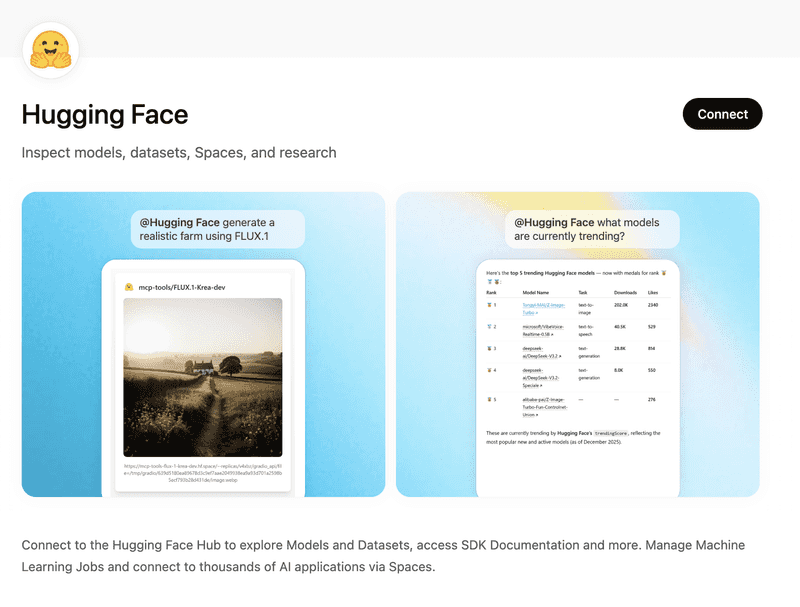
The Hugging Face ChatGPT app connects ChatGPT to the Hugging Face Hub. Users can explore models, datasets, Spaces, and research resources directly from the conversation in 2026.
It allows users to inspect machine learning resources and access development materials without leaving ChatGPT.
Hugging Face key features
- Explore models and datasets from the Hugging Face Hub
- Inspect Spaces and research resources
- Access SDK documentation
- Manage machine learning jobs
- Connect to AI applications through Hugging Face Spaces
Hugging Face is best for
Developers and AI researchers exploring machine learning tools will find Hugging Face especially useful. It is best for understanding models, datasets, and AI projects available on the Hugging Face platform.
Try the Hugging Face ChatGPT app.
Frequently Asked Questions
What are ChatGPT apps in 2026?
ChatGPT apps are integrations that allow external tools and services to perform actions directly inside ChatGPT. Instead of only generating text responses, ChatGPT can interact with connected services to retrieve information, create content, or trigger workflows.
Why are apps in ChatGPT useful?
In 2026, apps help bring common tools into the same workspace. This allows users to access files, generate results, and complete tasks without moving between different platforms.
Are ChatGPT apps useful for businesses?
Yes. Many ChatGPT apps support common work tasks such as reviewing documents, creating marketing materials, summarizing communication, and analyzing data.
Which ChatGPT apps are most useful for teams in 2026?
Productivity tools like Jotform, Google Drive, Slack, and Canva are often helpful for teams because they support everyday tasks such as data collection, document access, and communication summaries.
How can someone decide which ChatGPT apps to connect to?
A good starting point is to choose apps that match everyday workflows. Tools related to documents, communication, or data collection usually provide the most immediate value.

