
Intro
People search for ways to view private Instagram profiles for all kinds of ordinary reasons. An unfamiliar account may have sent you a message, a seller may be offering something that looks suspicious, or you may simply want to confirm that a username belongs to the person or business it claims to represent.
The difficulty is that this topic attracts misleading websites. Some pages promise instant access to private posts and then lead visitors through fake progress bars, repeated verification screens, downloads, surveys, or imitation Instagram login forms. A safer approach is to use a browser-based Private Instagram Account Viewer only for information that is already publicly visible and to keep realistic expectations about content protected by an account's privacy settings.
This guide compares six commonly discussed viewer tools, explains what they may be useful for, and highlights the warning signs that should make you leave a site immediately. Features and availability can change, so treat every third-party viewer as a convenience for public profile checks rather than a guaranteed way to unlock restricted media.
Six Private Instagram Profile Viewer Tools to Compare
No viewer works perfectly for every username. Results can depend on whether the account is public, what Instagram currently exposes, regional availability, and whether the third-party service is operating normally. The most useful comparison is therefore not which site makes the biggest promise, but which one offers a straightforward, no-login route for checking public information.
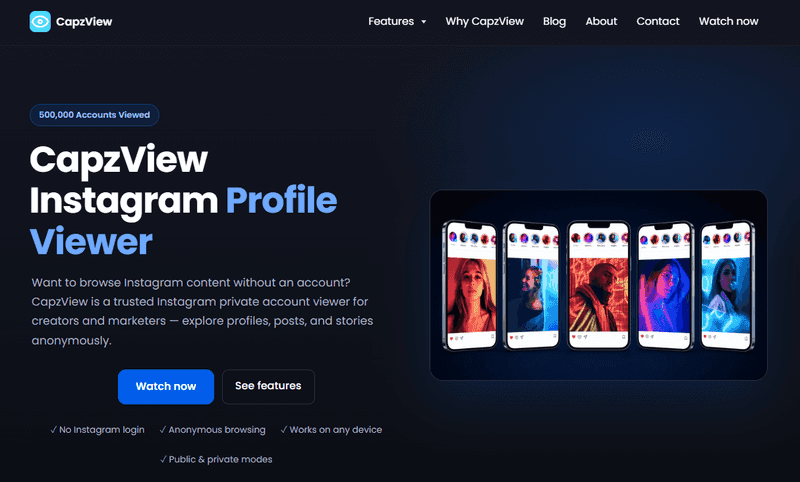
1. Capzview
Capzview offers a simple username-based flow designed for people who want to check Instagram profile information from a browser. Because the search does not depend on handing over an Instagram password, it avoids one of the biggest risks associated with unknown viewer sites: credential theft through a fake login page.
Its best use is a quick profile check. Depending on what is publicly available, that may include a username, display name, profile picture, biography, public links, or public posts. A private account's restricted photos, videos, Stories, and Reels should not be treated as available without the owner's approval.
Key points
- Works through a web browser and uses a username search.
- Does not require you to submit your Instagram login details.
- Useful for reviewing public profile context before deciding what to do next.
- Should be used with realistic expectations when an account is private.
2. Goonview
Goonview is promoted as an anonymous browsing option for Instagram profiles and related content. Its appeal is the idea of searching without signing into Instagram. However, anonymity does not override an account owner's privacy choice. The sensible way to use a service like this is to look for public profile signals and ignore any claim that suggests guaranteed access to restricted posts.
The All-in-One Platform for Effective SEO
Behind every successful business is a strong SEO campaign. But with countless optimization tools and techniques out there to choose from, it can be hard to know where to start. Well, fear no more, cause I've got just the thing to help. Presenting the Ranktracker all-in-one platform for effective SEO
We have finally opened registration to Ranktracker absolutely free!
Create a free accountOr Sign in using your credentials
Key points
- Markets a no-account browsing experience.
- Places emphasis on anonymous profile and Story viewing.
- Most appropriate for content already visible to the public.
3. Imginn
Imginn is often mentioned as a way to browse public Instagram material without opening the Instagram app. When available, people may use it to search public profiles and view public photos, videos, Reels, or Stories. Performance is not always consistent, and similarly named copycat sites can appear, so check the address carefully and never provide a password or install an unknown extension.
Key points
- Browser-based search for public Instagram content.
- Often associated with viewing public posts, Reels, and Stories.
- Does not make private media legitimately accessible without permission.
4. Inflact Profile Viewer
Inflact provides a profile-viewing page alongside other Instagram-related tools. The viewer is generally presented as a way to enter a username and inspect public profile content without signing into an Instagram account. Its broader toolset may appeal to users who also want public Story or profile research features, although the same privacy limits still apply.
Key points
- Username-based profile lookup.
- Separate tools may be available for different public content formats.
- No viewer should be trusted simply because it uses the word 'private' in its marketing.
5. Rizzyview
Rizzyview has long been associated with browsing Instagram profiles, posts, and tags outside the official app. Different versions and lookalike pages have circulated over time, so the exact feature set may vary. If you try it, limit your activity to public browsing, verify that you are on the intended domain, and leave immediately if the page requests account permissions, personal information, or software installation.
Key points
- Known for public profile, post, and tag browsing.
- May offer additional viewing or editing-style features depending on the version.
- Requires extra care because similarly branded pages can be misleading.
6. Dumpor
Dumpor is commonly positioned as a public Instagram viewer with an emphasis on Stories, highlights, Reels, and profile photos. The clearest use case is checking public content through a browser without installing an app. If a profile is private and nothing appears, that result should be accepted rather than treated as an invitation to complete surveys or download questionable files.
Key points
- Primarily aimed at public-profile browsing.
- Often focuses on Stories, highlights, Reels, and profile images.
- Runs in a browser and generally does not require an app installation.
What Can You Normally See on a Private Instagram Account?
A private profile is restricted, but it is not necessarily invisible. Instagram may still display a small amount of account-level information so people can identify the profile and decide whether to send a follow request. The exact details can vary, but the following signals are often visible:
- The account's username and display name.
- The profile picture, although it may appear at a limited size.
- The biography and any public link placed in it.
- Post, follower, and following counts when Instagram chooses to display them.
- Mutual followers or other context shown through the official Instagram interface.
These details can help with a basic identity check. For example, you can compare a bio link with a company's official website, check whether a profile photo appears consistent with other public pages, or confirm whether the username matches one shared with you elsewhere. They do not provide permission to collect or redistribute someone's restricted content.
What a Private Instagram Viewer Cannot Legitimately Guarantee
Private posts, Stories, Reels, highlights, and other restricted media are intended for approved followers. A third-party page cannot make that privacy boundary disappear simply by showing a progress animation or asking you to complete an extra step. Claims such as '100% guaranteed access,' 'unlock any account,' or 'see private posts instantly' should be treated as warning signs rather than proof of a powerful tool.
Some websites display a blurred grid and imply that real media has already been found. In many cases, those images are generic placeholders designed to make the process feel convincing. Others ask for a username, simulate a scan, and then require a survey, app download, browser notification, or payment. Completing those steps rarely produces the promised result and may expose you to spam, unwanted charges, or malware.
How to Check a Profile More Safely
If you only need quick public context, use a reputable Private Instagram Account Viewer with a careful routine. A few basic checks can prevent a moment of curiosity from turning into a security problem.
- Confirm the spelling of the username before searching. Impersonators often change one character or add punctuation.
- Use a browser-based search that does not request your Instagram password.
- Review only the profile details or posts that are publicly available.
- Compare public links, names, branding, and contact information with independent sources.
- Stop if the service asks you to download software, enable notifications, send a text message, or complete repeated verification tasks.
- If you need access to restricted content, send a normal follow request and let the account owner decide.
The Safest Way to Request Access
When there is a legitimate reason to see a private account, the most reliable method is also the most respectful: send a follow request. If the person may not recognize you, include a short and honest explanation in a direct message, such as where you met or why you are contacting them. There is no need to invent an elaborate story.
The All-in-One Platform for Effective SEO
Behind every successful business is a strong SEO campaign. But with countless optimization tools and techniques out there to choose from, it can be hard to know where to start. Well, fear no more, cause I've got just the thing to help. Presenting the Ranktracker all-in-one platform for effective SEO
We have finally opened registration to Ranktracker absolutely free!
Create a free accountOr Sign in using your credentials
If the request is declined or ignored, respect the decision. Trying to bypass someone's settings can damage trust, while repeatedly visiting questionable viewer pages increases your own exposure to phishing. Consent protects both sides: the account owner keeps control of their audience, and you avoid risky websites that profit from impossible promises.
Red Flags That Mean You Should Leave the Site
A polished design is not proof that a viewer is safe. Scam pages can look professional, copy Instagram's colors, and display convincing testimonials. Focus on what the page asks you to do. Leave if you notice any of the following:
- An Instagram login form hosted on a domain that is not Instagram's official website.
- A request for your password, backup codes, email verification code, or two-factor authentication code.
- A browser extension, APK file, desktop program, or configuration profile that must be installed.
- Endless 'human verification' loops or surveys that keep changing after completion.
- A payment request made before the service clearly explains what public information it can provide.
- Aggressive popups, forced notification permissions, or redirects to unrelated websites.
- A claim that the tool can secretly bypass every private account without limitations.
Who May Find Public Profile Viewers Useful?
Used within clear boundaries, these tools can save time for ordinary public checks. A shopper might compare an Instagram seller's bio link with its store domain. A recruiter or client may confirm that a public portfolio account matches the information supplied in an application. A brand owner may review a public profile before responding to a collaboration request. Parents and guardians may also use public information as one part of a broader conversation about online safety.
They are not appropriate for stalking, harassment, collecting restricted images, impersonation, or attempting to defeat privacy settings. If a situation involves threats, fraud, exploitation, or immediate safety concerns, preserve the public evidence you already have and use Instagram's official reporting options or contact the relevant authorities rather than relying on an anonymous viewer site.
What to Do If You Entered Your Password on a Viewer Site
Act quickly if you submitted Instagram credentials to an unfamiliar page. Open Instagram through the official app or type the official address directly into your browser. Change your password, sign out of unrecognized sessions, and enable two-factor authentication. If the same password was used for your email or another account, change it there as well.
Also review your email account for forwarding rules or recovery changes you did not create. Remove suspicious browser extensions and scan your device if you installed anything. Be cautious with follow-up emails or messages claiming they can recover your account for a fee, since victims of one scam are often targeted again.
Final Thoughts
The safest answer to the question of how to view a private Instagram account is straightforward: check the information that is already public, then request access if you genuinely need to see more. Privacy settings are there to let the account owner choose who can view restricted content.
For a quick no-login profile check, the Capzview private Instagram account viewer provides a browser-based starting point. Other services may offer similar public browsing features, but the same safety rules always apply: never provide your Instagram password, never install unknown software, and do not trust a site merely because it displays a convincing loading screen.
Frequently Asked Questions
Can a viewer show private Instagram posts without approval?
A legitimate service should not guarantee access to restricted posts without the account owner's approval. It may show basic public profile details, but claims of automatic access to private media are a major red flag.
Do I need to log into Instagram to use a profile viewer?
Many browser-based viewers are designed for username searches without an Instagram login. If an unfamiliar third-party site asks for your password or security code, do not continue.
Is viewing a public Instagram profile anonymously possible?
Third-party viewers may let you browse information that is publicly accessible without signing into Instagram. Availability varies, and you should still avoid sharing personal information or granting unnecessary permissions.
Why does a viewer show no results for a private account?
The account may be private, the username may have changed, or the service may be temporarily unable to retrieve public information. Do not interpret an empty result as a reason to complete surveys or download files.
What is the best way to see content from a private account?
Send a follow request and wait for the account owner to approve it. That is the normal and respectful way to access posts shared with approved followers.

