
Intro
Modeling a single 3D asset by hand can take hours in Blender, and that barrier keeps most people out of 3D work entirely. Meshy removes it. Meshy (meshy.ai) is a 3D creation platform that turns text prompts or images into textured, export-ready models in about a minute. It runs entirely in your browser, offers a free tier, and serves game developers, 3D printing hobbyists, and product designers alike. This post breaks down what the platform actually does, where it fits your workflow, and how to test it without spending a dollar.
What Is Meshy?
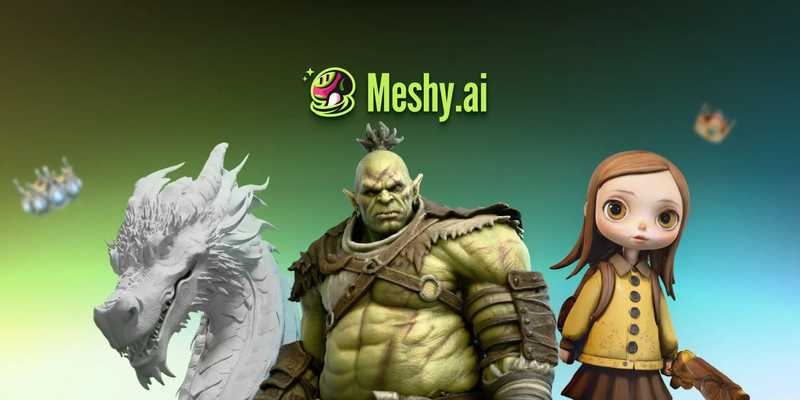
Meshy is an AI 3D model generator that converts text descriptions and images into finished 3D assets. You type a prompt or upload a reference, and the system builds a textured mesh you can download and use.
The platform is fully browser-based, so there is nothing to install. You work from the same tab whether you are on a laptop or a desktop.
Meshy is one of the leading AI 3D model generators, with G2 and Trustpilot ratings of 4.8 backing that reputation. Start by opening the workspace and generating one test model to see the speed for yourself.
How Does Text to 3D and Image to 3D Work?
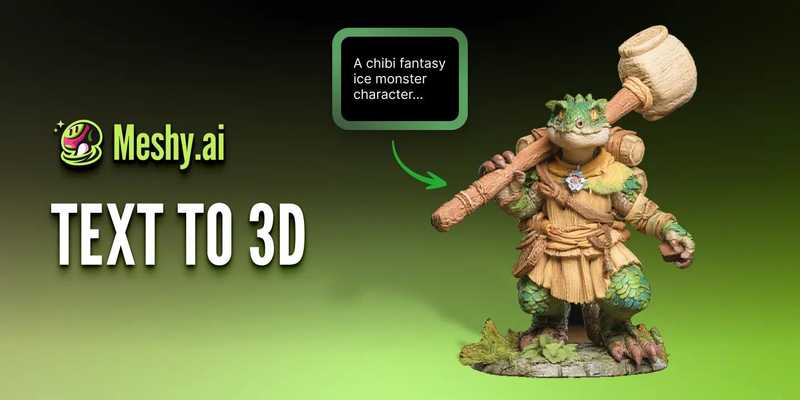
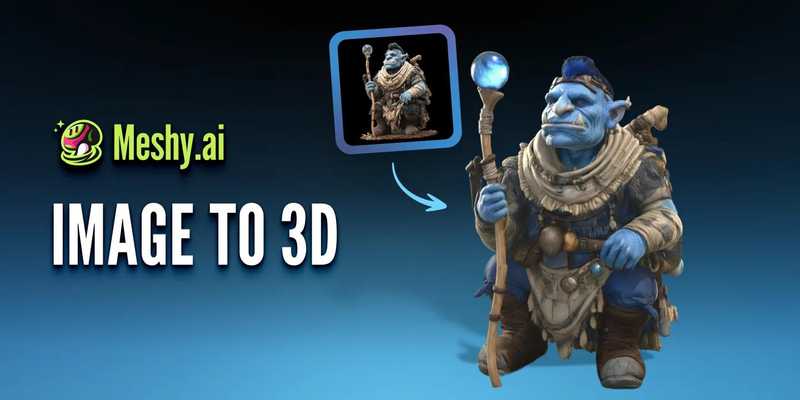
Meshy offers two core generation modes: Text to 3D and Image to 3D. Each solves a different starting point.
Here is how they differ:
- Text to 3D builds a textured model from a written description alone, with no reference image needed.
- Image to 3D converts a photo, sketch, or piece of concept art into a matching mesh.
- Multi-image input lets you upload 2 to 8 views of the same object for higher accuracy.
The multi-image option matters most for precision work. Feeding the AI several angles of a product, for example, produces a model that matches the real object far more closely than a single photo can.
The All-in-One Platform for Effective SEO
Behind every successful business is a strong SEO campaign. But with countless optimization tools and techniques out there to choose from, it can be hard to know where to start. Well, fear no more, cause I've got just the thing to help. Presenting the Ranktracker all-in-one platform for effective SEO
We have finally opened registration to Ranktracker absolutely free!
Create a free accountOr Sign in using your credentials
Pick Text to 3D when you start from an idea. Pick Image to 3D when you already have a picture to match.
What File Formats Can You Export?
Meshy exports every major 3D format, which is what makes it fit into existing pipelines instead of replacing them. You are not locked into a proprietary file type.
The platform exports STL, OBJ, GLB, FBX, USDZ, and 3MF. Each format serves a purpose:
- FBX and GLB drop straight into Unity, Unreal Engine, and Blender for game and animation work.
- STL and 3MF send directly to slicers like Bambu Studio and OrcaSlicer for 3D printing.
- USDZ handles iOS AR Quick Look for VR/AR projects.
Every export arrives UV-unwrapped and ready to use. Match the format to your destination tool, then import and keep working. No manual conversion step required.
What Free Tools Does Meshy Include?
Meshy includes a free browser-based 3D Tool Kit that works whether or not you generate a model. These utilities solve small, common problems that usually need separate software.
The kit covers three jobs:
- Convert files with the 3D File Converter, which turns common model and image files into production-ready formats online.
- Inspect assets with the Online 3D Viewer, which opens and previews any 3D file in your browser before you import or share it.
- Repair meshes with the STL Repair tool, which cleans up files before you send them to a printer.
These tools run free in the browser. Bookmark the toolkit page and use the Viewer next time someone sends you a GLB or OBJ you need to check quickly.
Who Actually Uses Meshy?
Meshy serves a wide range of creators, which is a strong signal that the output holds up in real production. The platform reports 12 million-plus users and 100 million-plus generated models.
The main use cases break down like this:
- Game development teams generate assets for Unity and Unreal Engine at speed.
- 3D printing hobbyists turn ideas into printable, watertight models.
- Film and VFX studios build props and previs assets.
- Education lecturers help students turn 2D sketches into 3D printed objects.
- Product design teams iterate concepts from sketches in minutes.
Named studios including Nexon and DNEG appear among its users. If your work touches any of these fields, run one asset through the workflow and compare it against your current process.
Can Developers Build With the Meshy API?
Meshy offers developer API access, so you can wire 3D generation directly into your own app or pipeline. This is where the platform moves from a tool you visit to infrastructure you build on.
The API exposes the full feature set as endpoints:
- Text to 3D and Image to 3D generation
- AI texturing
- Rigging and animation
- Webhook support for automated workflows
For SEO professionals and developers building content-rich or e-commerce sites, this matters. Programmatic 3D generation means you can produce interactive product models at scale rather than one at a time. As an AI-driven 3D creation platform, Meshy pairs a browser workspace with a documented API, so the same engine serves both a solo creator and a full engineering team.
The All-in-One Platform for Effective SEO
Behind every successful business is a strong SEO campaign. But with countless optimization tools and techniques out there to choose from, it can be hard to know where to start. Well, fear no more, cause I've got just the thing to help. Presenting the Ranktracker all-in-one platform for effective SEO
We have finally opened registration to Ranktracker absolutely free!
Create a free accountOr Sign in using your credentials
Test the endpoints live in the API Playground before you write integration code.
How Do You Start Using Meshy for Free?
Meshy offers a free tier with no credit card required, so testing the platform costs nothing but time. This lowers the risk of trying it against your current workflow.
Follow these steps to generate your first model:
- Open meshy.ai and create a free account.
- Choose a mode — Text to 3D or Image to 3D — in the workspace.
- Enter a prompt or upload an image describing what you want.
- Generate the model, which takes roughly 20 to 60 seconds.
- Export your file in the format your project needs, such as FBX, GLB, or STL.
Free-tier outputs are meant for personal and evaluation use. Confirm the license terms on your plan before using any asset commercially.
Generate one model today and measure how long it took against your usual method.
Conclusion
Meshy earns its place as a 3D creation platform by combining speed, range, and accessibility in one browser tab. Text to 3D and Image to 3D cover both starting points, multi-image input sharpens accuracy, and exports in STL, OBJ, GLB, FBX, USDZ, and 3MF fit Unity, Unreal Engine, Blender, and slicers like OrcaSlicer without conversion. The free tier, browser-based toolkit, and developer API mean solo creators and engineering teams both have a path in. Open meshy.ai, generate one model on the free plan, and compare the result against your current workflow before you commit.

