
Intro
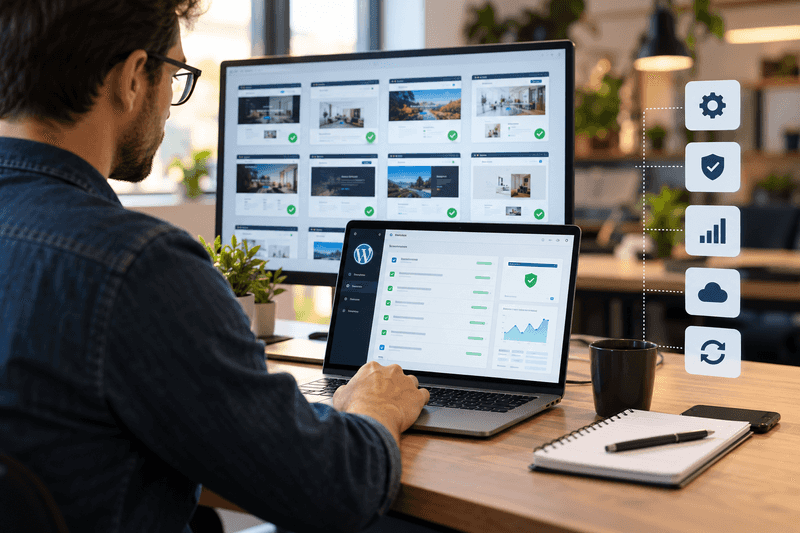
Launching a website feels like the finish line. For an agency, it is really the start of a new phase. Once a site goes live, real users interact with it, software changes, integrations run, and client needs evolve. Without a clear process, small issues can quickly become recurring support problems.
A strong website maintenance process for agencies keeps sites secure, functional, fast, and aligned with business goals. It also gives agencies a repeatable way to support clients without turning every website issue into an emergency.
What happens after a website launch?
The first few days after launch deserve close attention because real-world traffic can reveal problems that staging environments did not.
What should agencies check immediately after launch?
Start with the business-critical parts of the site:
- Contact forms and email notifications
- Mobile and tablet layouts
- Important links and navigation
- Analytics and conversion tracking
- Search indexing and technical SEO
- Website speed and uptime
- Third-party integrations
- SSL and security settings
- Key service or product pages
The goal is not to make major changes. It is to confirm that the live website performs as expected and establish a baseline for future maintenance.
A useful post-launch checklist should also identify who owns the domain, hosting, CMS, integrations, analytics, and emergency access. Clear ownership prevents delays when something needs attention.
Why is post-launch website maintenance more than fixing broken pages?
Post-launch website maintenance should be treated as an ongoing operating process, not a collection of emergency fixes.
Websites change even when nobody on the agency team is actively editing them. WordPress releases updates. Plugins introduce new versions. External services change their APIs. Content becomes outdated. Security threats evolve.
That means maintenance should cover several areas:
| Maintenance area | What agencies should monitor |
| Security | Core, plugin, theme updates and vulnerability risks |
| Performance | Page speed, server response and unexpected slowdowns |
| Functionality | Forms, buttons, menus and key user journeys |
| Backups | Backup success and recovery readiness |
| SEO | Indexing, redirects, metadata and broken links |
| Content | Outdated information, images and business details |
| Analytics | Tracking codes, events and conversion data |
| Accessibility | Common usability and accessibility issues |
This approach shifts the agency from reactive support to proactive website management.
How can agencies build a reliable maintenance workflow?
The best maintenance systems are predictable. Every client site should move through the same basic workflow, even if the technical requirements differ.
What should a monthly maintenance cycle include?
A practical cycle can follow five steps:
- Monitor: Review uptime, errors, security alerts, forms, and important user journeys.
- Update: Apply WordPress, theme, and plugin updates according to the site’s risk level.
- Test: Check the site after updates, especially forms, navigation, integrations, and responsive layouts.
- Review: Look at performance, analytics, SEO health, and content issues.
- Report: Record completed work, unresolved issues, and recommended improvements.
This creates an audit trail. It also makes client communication easier because the agency can explain what was checked and what needs attention next.
The All-in-One Platform for Effective SEO
Behind every successful business is a strong SEO campaign. But with countless optimization tools and techniques out there to choose from, it can be hard to know where to start. Well, fear no more, cause I've got just the thing to help. Presenting the Ranktracker all-in-one platform for effective SEO
We have finally opened registration to Ranktracker absolutely free!
Create a free accountOr Sign in using your credentials
Pro Tip: Do not treat every update as routine. Test higher-risk changes in a staging environment first, particularly when a site relies on e-commerce, membership systems, custom code, or several interconnected plugins.
What makes WordPress maintenance for agencies different?
WordPress maintenance for agencies becomes more complex as the client portfolio grows. A single website may be easy to monitor manually. Ten, twenty, or fifty sites require a system.
Agencies need to account for differences in:
- WordPress versions
- Hosting environments
- Plugin combinations
- Custom themes
- Custom code
- PHP versions
- Client approval processes
- Backup policies
- Security requirements
- Business-critical functionality
A standardized process helps, but standardization should not mean applying identical changes to every site without checking context.
Note: A maintenance plan should clearly separate routine maintenance from new development. A broken form after a routine update may be maintenance. A request to build a new booking system is a development project.
How can agencies manage multiple WordPress sites efficiently?
When teams manage multiple WordPress sites, manual logins can quickly become inefficient. The bigger problem is not only the time involved. Manual processes also make it easier to miss an update, overlook an alert, or forget which site needs follow-up.
A centralized workflow can help agencies track:
- Updates waiting for approval
- Backup status
- Security alerts
- Uptime issues
- Performance concerns
- Plugin conflicts
- Open support tasks
- Client reporting
Centralization also makes team handoffs easier. If one developer is unavailable, another team member can understand the current status without searching through scattered notes.
For agencies that need a more structured approach to manage multiple portfolios, a dedicated WordPress multi-site management can bring site-level maintenance information into one operational view.
When should agencies separate maintenance from new development?
One common source of confusion is treating every client request as maintenance.
A clear service boundary helps:
| Request | Usually maintenance | Usually new development |
| WordPress security update | Yes | No |
| Fixing a broken contact form | Yes | No |
| Updating business hours | Yes | No |
| Replacing outdated content | Usually | No |
| Adding a new landing page | No | Yes |
| Building a new integration | No | Yes |
| Redesigning the navigation | No | Yes |
| Adding a new ecommerce feature | No | Yes |
This distinction protects agency capacity and gives clients clearer expectations.
The All-in-One Platform for Effective SEO
Behind every successful business is a strong SEO campaign. But with countless optimization tools and techniques out there to choose from, it can be hard to know where to start. Well, fear no more, cause I've got just the thing to help. Presenting the Ranktracker all-in-one platform for effective SEO
We have finally opened registration to Ranktracker absolutely free!
Create a free accountOr Sign in using your credentials
It also makes pricing and reporting easier. Clients can see what their recurring maintenance covers and when a separate project estimate is appropriate.
How can agencies turn maintenance data into better website decisions?
Maintenance should not stop at keeping websites online. The data collected during routine checks can reveal opportunities for improvement.
For example, recurring form errors may point to a larger conversion problem. Slow pages may highlight inefficient plugins or oversized media. Frequently updated pages may deserve a better content workflow.
Agencies can maintain an improvement backlog with three categories:
- Fix now: Security, broken forms, outages, serious errors
- Improve next: Speed, UX, accessibility, technical SEO
- Consider later: New features, redesigns, automation, experiments
This prevents important improvements from disappearing inside day-to-day support tickets.
Do You Know? WordPress itself recommends creating a recurring maintenance calendar and regularly reviewing updates, site content, backups, statistics, and other housekeeping tasks.
What should agencies include in a client website maintenance plan?
A useful client website maintenance plan should answer five simple questions:
- What is included?
- How often are routine checks performed?
- Who handles urgent issues?
- What happens when an update causes a problem?
- Which requests require separate development work?
The plan should also define backup expectations, access responsibilities, reporting, response times, and escalation procedures.
For agencies building new websites, maintenance planning should begin during development rather than after launch. A well-structured build makes future updates, troubleshooting, and content management easier.
The All-in-One Platform for Effective SEO
Behind every successful business is a strong SEO campaign. But with countless optimization tools and techniques out there to choose from, it can be hard to know where to start. Well, fear no more, cause I've got just the thing to help. Presenting the Ranktracker all-in-one platform for effective SEO
We have finally opened registration to Ranktracker absolutely free!
Create a free accountOr Sign in using your credentials
For teams looking at the relationship between development and long-term site care, a Website design & development agency approach can help connect the initial build with the operational needs that follow.
Key Takeaways
- A website launch is the beginning of ongoing operations, not the end of the project.
- The first post-launch checks should focus on forms, tracking, security, performance, and important user journeys.
- Maintenance should follow a repeatable workflow of monitoring, updating, testing, reviewing, and reporting.
- Agencies managing multiple WordPress websites need centralized processes to reduce missed tasks.
- Maintenance and new development should have clearly defined boundaries.
- Routine maintenance data can help identify larger SEO, UX, performance, and conversion opportunities.
- Every client should know who owns each part of the website and what happens when something goes wrong.
Final Insights: What Does a Healthy Website Look Like Six Months After Launch?
A healthy website six months after launch should not simply be online. It should have current software, reliable backups, working forms, accurate content, stable integrations, measurable performance, and a documented history of maintenance.
The strongest agency workflows make website care routine rather than reactive. That gives teams more control over their workload while helping clients avoid the slow accumulation of technical problems.
The real measure of a successful launch is not how well the site performs on day one. It is how reliably the site continues to serve its users months and years later.
FAQs
How soon should website maintenance begin after launch?
Maintenance should begin immediately after launch. The first checks should confirm that forms, analytics, links, integrations, performance, and security are working correctly in the live environment.
How often should a WordPress website be maintained?
The frequency depends on the website’s complexity and risk. Security monitoring should be continuous, while updates, backups, testing, performance reviews, and content checks should follow a defined schedule.
Should agencies offer website maintenance after a website project?
Yes, if the agency has the resources and processes to support it properly. A defined maintenance service can provide continuity after launch while giving clients a clear process for routine website care.
How do agencies maintain many client websites?
Agencies can use centralized management tools, standardized checklists, staging environments, automated monitoring, documented workflows, and scheduled reporting to reduce repetitive manual work.
What is the difference between website maintenance and website development?
Maintenance keeps the existing website secure, functional, and current. Development generally involves creating new functionality, integrations, layouts, or features that expand the site’s existing scope.
Can website maintenance improve SEO?
It can support SEO by helping prevent technical problems such as broken links, indexing issues, slow performance, outdated information, and malfunctioning pages. Maintenance does not replace an ongoing SEO strategy, but it supports the technical foundation that strategy depends on.
For a practical look at how ongoing website management can support long-term site performance, review the available maintenance and management approaches for your agency’s needs.

