
Intro

A trading setup often spans several devices before execution begins, so continuity matters more than simply having several apps available. A trader may analyze on desktop, leave the desk, then inspect the same position from a browser or phone. The useful question is whether the handoff preserves what is needed to act confidently.
The account may be reachable on several devices while the experience still changes between them. Positions and pending orders can belong to the trading account, while chart layouts, symbol lists, alerts, or local templates may behave differently. Traders therefore need to separate account continuity from workspace continuity.
For a concrete example of that broader setup, readers can use this review of the STARTRADER broker to see how MT4, MT5, WebTrader, and mobile access fit within one broker environment. The value of that mix becomes clearer when each interface is treated as part of one workflow rather than as a separate feature.
A proper handoff test should reproduce normal use. Start on the main workstation, place a demo order, then move to the second device. The aim is to learn what follows the account automatically and what needs separate setup.

Start With the Information That Must Survive the Handoff
Confirm the Same Instrument and Account Context
The symbol on the second device must represent the same market, account, and contract the trader intended to manage. Similar names can appear across product groups, while contract size, trading sessions, and minimum volume come from the broker.
The All-in-One Platform for Effective SEO
Behind every successful business is a strong SEO campaign. But with countless optimization tools and techniques out there to choose from, it can be hard to know where to start. Well, fear no more, cause I've got just the thing to help. Presenting the Ranktracker all-in-one platform for effective SEO
We have finally opened registration to Ranktracker absolutely free!
Create a free accountOr Sign in using your credentials
On MetaTrader 5 mobile, the Quotes area shows the symbol name, bid, ask, spread, and other information. Symbol properties can also include contract size, tick size, margin information, and trading sessions. Learn where those details sit before leaving the main workstation.
A useful handoff routine is:
- confirm the account number or account label;
- search for the instrument instead of assuming the mobile list is identical;
- check the bid and ask before acting;
- open the symbol specification when contract details matter;
- make sure the correct position or pending order is selected.
This is where interface design matters. The principle behind responsive mobile UX is that core functions should stay usable as screen size and orientation change. In trading, consistency does not require identical screens. It requires essential information to remain easy to find.
Separate Account State From Workspace State
The key distinction is between information held with the trading account and information created in the local workspace. MetaTrader 5 lets an existing account connect on mobile, where positions, pending orders, and history can be viewed and managed. Desktop chart profiles and templates, however, are stored in platform data folders.
That distinction means a carefully prepared desktop chart should not be assumed to reappear in exactly the same form on a phone. The same applies to a personally arranged Market Watch or Quotes list. Mobile MetaTrader allows users to add, hide, and reorder symbols separately.
Before leaving the main workstation, test four items:
- Open positions appear with the expected symbol, volume, and direction.
- Pending orders are visible and easy to identify.
- Stop loss and take profit levels can be found and modified.
- Trade history shows enough detail to reconstruct recent actions.
A handoff should preserve trading control even when it does not preserve every visual preference.
Check Stops, Targets, and Order Modification on the Smaller Screen
A mobile platform becomes useful when it can do more than display price. MetaTrader 5 mobile supports market and pending orders, while its account view allows positions and orders to be managed. Stop loss and take profit levels can also be displayed and modified from supported position views.
Smaller screens nevertheless change how information is arranged. A desktop trader may have several charts, tickets, and account panels visible at once. On mobile, those elements are usually separated into tabs or screens. The test should focus on whether the necessary control can still be reached quickly and deliberately.
| Handoff Item | What Should Remain Available | What May Need Separate Setup |
| Open positions | Symbol, size, direction, current result | Screen layout |
| Pending orders | Order type, level, volume | Preferred display order |
| Stop and target levels | Existing SL and TP information | Chart visibility settings |
| Trade history | Executed and cancelled activity | Filters and display preferences |
| Market list | Broker supplied symbols | Personal ordering and selected symbols |
| Chart workspace | Current market data | Templates, indicators, objects, and arrangement |
A successful login is only the first stage. The real test is whether the second device exposes what the trader needs next.
Test the Full Journey Before Relying on It
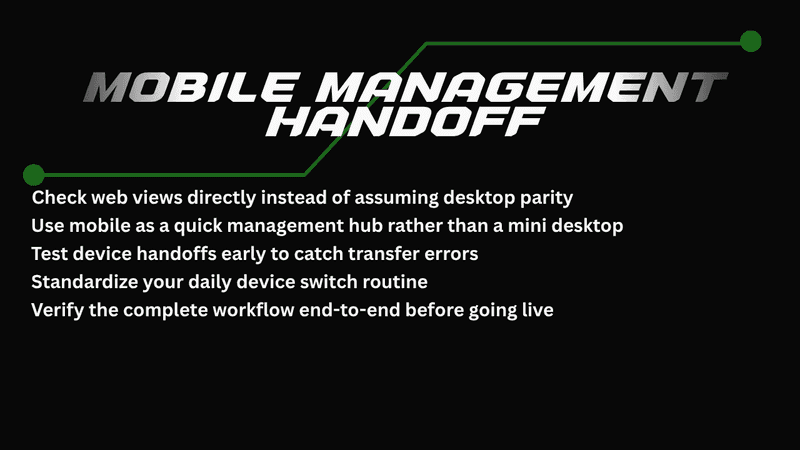
Move From Desktop to Web Without Assuming the Layout Will Match
Web access provides a useful middle layer between an installed desktop terminal and a phone. For example, STARTRADER says its WebTrader supports browser access to MT4 and MT5 accounts, with real-time quotes, trading history, technical indicators, multiple timeframes, and one-click trading.
Browser access is useful when the main computer is unavailable, but a larger screen is still preferred. Still, test the browser workspace separately because desktop panels, chart templates, and custom tools may not appear in the same form.
The All-in-One Platform for Effective SEO
Behind every successful business is a strong SEO campaign. But with countless optimization tools and techniques out there to choose from, it can be hard to know where to start. Well, fear no more, cause I've got just the thing to help. Presenting the Ranktracker all-in-one platform for effective SEO
We have finally opened registration to Ranktracker absolutely free!
Create a free accountOr Sign in using your credentials
A practical browser test should cover:
- logging in from a clean browser session;
- locating the same open positions and pending orders;
- checking stop loss and take profit information;
- opening trade history;
- finding the instrument again from Market Watch;
- confirming that the browser supports the actions used in the normal strategy.
The aim is to know which essential functions remain dependable after a device change.
Treat Mobile as a Management Workspace, Not a Shrunk Desktop
Mobile works best when the trader knows which tasks belong there. MetaTrader 5 mobile provides charts, order management, history, symbol information, and push notifications, but it is designed for a smaller touch screen. Recreating a multi-monitor desktop layout is the wrong benchmark.
A better test asks whether the phone handles likely away-from-desk tasks. Can the trader verify the position, cancel a pending order, check stop and target levels, review recent history, and find the correct instrument quickly? Those actions reveal more about continuity than the number of indicators available on the phone.
The All-in-One Platform for Effective SEO
Behind every successful business is a strong SEO campaign. But with countless optimization tools and techniques out there to choose from, it can be hard to know where to start. Well, fear no more, cause I've got just the thing to help. Presenting the Ranktracker all-in-one platform for effective SEO
We have finally opened registration to Ranktracker absolutely free!
Create a free accountOr Sign in using your credentials
Notifications need a separate check because receiving an alert and being able to act are different things. MetaTrader 5 supports push notifications, and STARTRADER provides guidance for connecting them through a MetaQuotes ID. Test the route in advance and confirm that the app leads to the relevant account information.
Run a Controlled Handoff Drill
The clearest way to evaluate continuity is to rehearse it. A demo account lets the trader test navigation, order visibility, and device switching without depending on a live position.
Run the test in this order:
- Log in on desktop and open the normal workspace.
- Choose an instrument and note its exact symbol.
- Place a demo pending order with defined stop and target levels.
- Open WebTrader and locate the same order.
- Move to mobile and check it again.
- Modify one noncritical parameter in the demo environment.
- Return to desktop and verify that the account state reflects the change.
- Review the history so the sequence can be reconstructed.
If the account state is clear but the workspace changes, that is useful information. The trader can then keep a short watchlist, saved notes, key screenshots, or a simpler mobile chart setup.
Build a Handoff Checklist Around Your Own Routine
Different traders need different levels of continuity. Someone managing a few swing positions may mainly need order visibility, stops, history, and reliable login access. A trader working with shorter-term setups may care more about symbol search, chart speed, one-click execution, and notifications.
The checklist should therefore follow actual behavior instead of copying every platform feature:
- devices and login routes already tested;
- key instruments easy to locate;
- open positions and pending orders clearly visible;
- stops and targets easy to verify;
- history accessible on the backup device;
- notification route tested;
- known differences in charts and symbol lists recorded;
- browser access available as another route where supported.
That approach makes device flexibility measurable. Desktop, web, and mobile need not look the same, but the trader should know what persists, what changes, and where the next action can be managed.
A multi-device setup is most useful when the handoff has already been rehearsed. Testing account state, workspace differences, order controls, notifications, and backup access creates a clearer operating routine before the trader leaves the main screen. That discipline keeps trading decisions clear across every device.

