
Intro
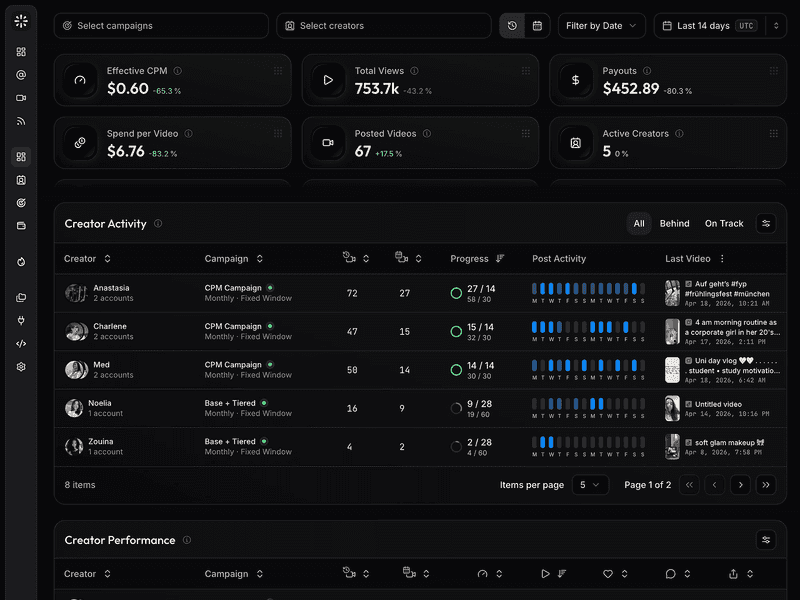
UGC analytics used to mean tracking basic engagement metrics such as views, likes, comments, and saves. Today, that is a baseline rather than a strategy. Modern UGC programs involve dozens or hundreds of creators across multiple short-form platforms, distinct campaign briefs, performance bonuses, usage rights, and complex invoice tracking.
The best tool depends entirely on the scale of your program. A brand hiring one creator for a single deliverable requires a completely different setup than a mobile app team running high-volume TikTok, Reels, Shorts, and Facebook Reels campaigns with performance-based payouts.
This guide breaks down six platforms, including viral.app, Archive, Collabstr, Iconosquare, Rival IQ, and InsTrack, to show which tool fits specific workflows, and why high-volume teams eventually outgrow generic social dashboards
Why does performance UGC need different analytics?
The shift happens when you stop treating UGC like a one-off content purchase and start running it as a core operating channel. Instead of paying a creator to post to their own followers, they produce short-form assets for your brand accounts. You then measure that output by the creator, the specific brief, the platform, the hook, and the actual business outcome, not just standard engagement metrics.
This model essentially turns your brand account into a canvas where creator-made videos are constantly published, tested, and scaled. Traditional UGC typically ends when the creator delivers the asset, but performance UGC is just getting started at that point, moving directly into distribution tracking, performance milestones, and payout calculations.
Because of that operational layer, you need your analytics tool to answer much tougher questions than just which post got the most views:
- Which creator actually produced our winning assets this month?
- Which specific hooks and formats should we repeat in the next creative batch?
- Which platforms are driving real business value, such as installs, trials, or revenue?
- Which creators officially crossed their performance bonus thresholds?
- What is the exact payout amount we owe each creator this week?
- Which ad accounts, campaigns, or posts need to be scaled or paused right now?
This is exactly why UGC analytics has to be operational. Clean dashboards are nice, but high-volume creator programs live or die by attribution, automated payout logic, workflow guardrails, and a tight loop that feeds performance data right back into your next creative brief.
How to choose a UGC analytics tool
Choosing the right UGC analytics tool comes down to knowing exactly what your workflow demands, and you can evaluate most options by looking at five core areas.
- Cross-platform visibility: If your campaigns span TikTok, Instagram, YouTube Shorts, and Facebook Reels, you want to avoid single-channel tools that force you to stitch data together manually in spreadsheets.
- Creator and campaign tracking: The tool needs to look at individual creators and campaigns rather than just overall accounts. A functional UGC setup requires you to connect specific posts back to the exact person who made them, the creative brief, your campaign goals, and your payout rules.
- Performance and payout management: Views only tell part of the story. High-volume performance programs routinely use complex payment structures, such as CPM-style payouts, fixed fees, milestone bonuses, consistency metrics, or hybrid models that the tool needs to handle automatically.
- Reporting and collaboration: The reporting features should fit your day-to-day operations. Agencies, founders, and growth teams need clean dashboard setups, automated alerts, and raw data exports that can be shared instantly with clients or internal stakeholders.
- Operational utility: Look at whether the tool actually helps you run your daily workflow or if it just analyzes data after the fact. If you want a broader look at maximizing your reach, Ranktracker's guide to content distribution channels is a great companion read.
Quick comparison
| Tool | Best fit | Main strength | Main limitation |
| viral.app | Performance UGC campaign operations | Tracks creators, campaigns, short-form content, payouts, and reporting in one system | Best suited to teams that already treat UGC as an operating workflow, not a one-off post |
| Archive | UGC capture, social listening, and creator discovery | Detects brand mentions, collects UGC, and helps prove creator marketing ROI | Less focused publicly on performance-based payout logic and campaign finance workflows |
| Collabstr | Hiring creators and buying UGC deliverables | Marketplace for finding creators, ordering content, and managing transactions | Marketplace-first; analytics depth is not the core reason to buy it |
| Iconosquare | Owned social analytics and reporting | Broad social media management, scheduling, reporting, and dashboards | Not purpose-built for creator payouts or high-volume performance UGC operations |
| Rival IQ | Competitive benchmarking and social intelligence | Strong market, competitor, and landscape analytics | Shows what is working in the market more than it runs your creator campaign |
| InsTrack | Lightweight Instagram analytics | Affordable Instagram account analytics and reporting | Instagram-only and too narrow for multi-platform creator programs |
1. viral.app: Best overall for performance UGC campaign analytics
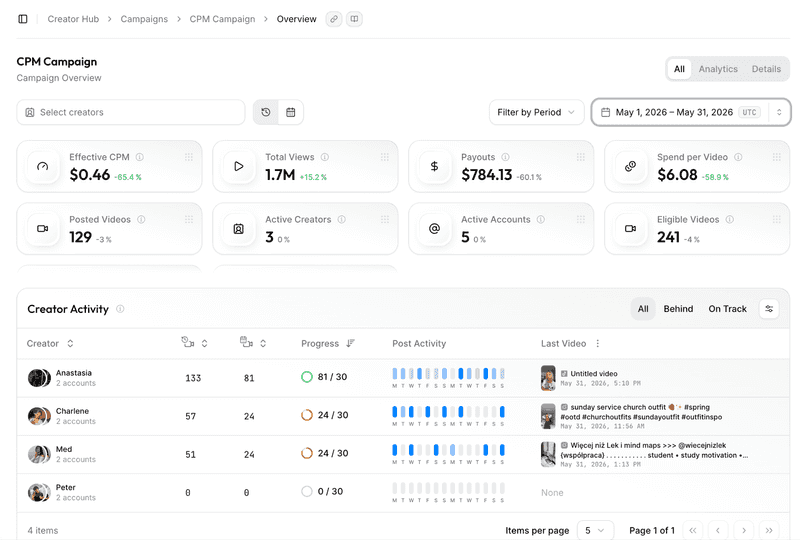
viral.app is built for brands, agencies, and app teams that run UGC as a continuous growth channel rather than a collection of one-off creative assets. It focuses directly on the biggest challenges of high-volume programs: tracking dozens of creators, monitoring short-form posts across platforms, analyzing actual campaign ROI, and managing payouts that usually clutter up spreadsheets. The platform has a clear focus:
- track every creator,
- pay based on actual performance,
- and eliminate manual data entry.
This matters because high-volume UGC programs can quickly fall apart if your analytics, creator management, and financial tracking are in completely separate tools.
The All-in-One Platform for Effective SEO
Behind every successful business is a strong SEO campaign. But with countless optimization tools and techniques out there to choose from, it can be hard to know where to start. Well, fear no more, cause I've got just the thing to help. Presenting the Ranktracker all-in-one platform for effective SEO
We have finally opened registration to Ranktracker absolutely free!
Create a free accountOr Sign in using your credentials
This approach is especially useful for teams focusing on brand-account distribution (Canvas UGC). When a creator produces content directly for your brand profile rather than their own audience, traditional metrics like their personal follower count do not matter. The only thing that counts is whether their videos can hit your specific view, install, signup, or revenue goals. viral.app connects that content performance directly back to creator accountability.
For example, imagine managing 50 creators across TikTok, Instagram Reels, YouTube Shorts, and Facebook Reels. Some get a flat base fee, some earn bonuses when a video hits 100,000 views, and other campaigns only pay out if the asset targets a specific product or region. Without a single system of record, your team ends up manually auditing links, copying numbers into spreadsheets, and arguing over payout math in Slack.
The app removes the manual work from performance UGC:
- collects posts from TikTok, Instagram, Shorts, and Facebook Reels,
- identifies which creators, hooks, and briefs actually move the needle,
- auto-computes payouts and bonus thresholds,
- delivers dashboards for internal and external stakeholders,
- stops spreadsheet chaos; one trusted data source.
If you’re running high-volume creator campaigns across platforms, viral.app is the operating layer for performance, workflows, and payouts.
Teams that need an operating system for creator campaigns can use viral.app to track, manage, and pay UGC creators across TikTok, Instagram, Shorts, and Facebook Reels.
Where viral.app is strongest
viral.app works best when UGC is already a repeatable growth channel for your business. If your team manages a growing roster of creators, multiple concurrent campaigns, performance-based compensation, or client reporting, it fits the day-to-day workflow much better than a generic social dashboard.
The tool is built specifically for performance tracking. Instead of just answering basic questions about overall social engagement, it tells you exactly who created the winning asset, what creative angles you should repeat, and what you owe each creator at the end of the month.
Where it may be less necessary
If you only need to monitor a single Instagram account, schedule standard posts, or hire an occasional creator for a one-off deliverable, viral.app offers more operational complexity than you actually need. It is designed specifically for teams that want to scale up their UGC volume and reduce the manual campaign logistics.
2. Archive: Best for UGC capture and creator content discovery
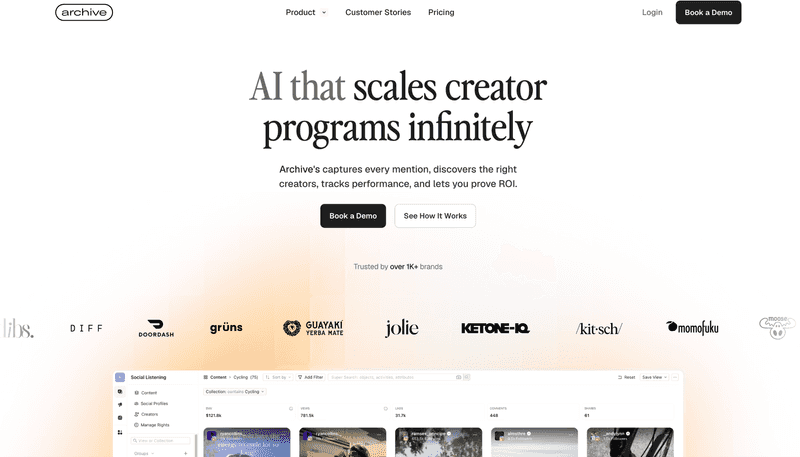
Archive is built for brands that need to capture, organize, and use UGC from social channels. The platform focuses heavily on using automation to track brand mentions, discover new creators, handle social listening, and report on campaign ROI.
The All-in-One Platform for Effective SEO
Behind every successful business is a strong SEO campaign. But with countless optimization tools and techniques out there to choose from, it can be hard to know where to start. Well, fear no more, cause I've got just the thing to help. Presenting the Ranktracker all-in-one platform for effective SEO
We have finally opened registration to Ranktracker absolutely free!
Create a free accountOr Sign in using your credentials
This setup is especially useful for e-commerce and consumer brands that naturally generate a lot of organic social content. If customers, fans, and micro-influencers are already posting about your products, Archive helps you detect those posts, collect the media assets, analyze trends, and repurpose the best content for your paid ads, emails, and landing pages.
This focus is entirely different from running high-volume performance UGC operations. Archive excels at finding and organizing content that already exists out in the wild. In contrast, tools like viral.app are better suited for structured campaign management where you need to track specific assignments, measure exact post performance, and calculate creator bonuses or payouts.
Where Archive is strongest
Archive is an excellent fit if your primary challenges revolve around:
- automated UGC capture,
- social listening,
- rights management,
- content whitelisting,
- and creator discovery.
It is particularly useful for consumer brands looking to pull organic customer posts into an organized library, analyze the audience sentiment, or clear usage rights to repurpose assets for paid advertising.
The platform also provides reliable reporting dashboards that quantify the value of community-driven content, making it easier to demonstrate campaign ROI to leadership without relying on manual spreadsheets.
Where it is weaker
Archive is not built for performance-based creator payouts, invoicing, campaign financial reconciliation, or rules-based compensation.
- If your program is primarily for finding and reusing organic UGC, Archive makes sense.
- If your program is about running a high-volume creator engine with strict payment logic, viral.app is a better fit.
3. Collabstr: Best for hiring UGC creators
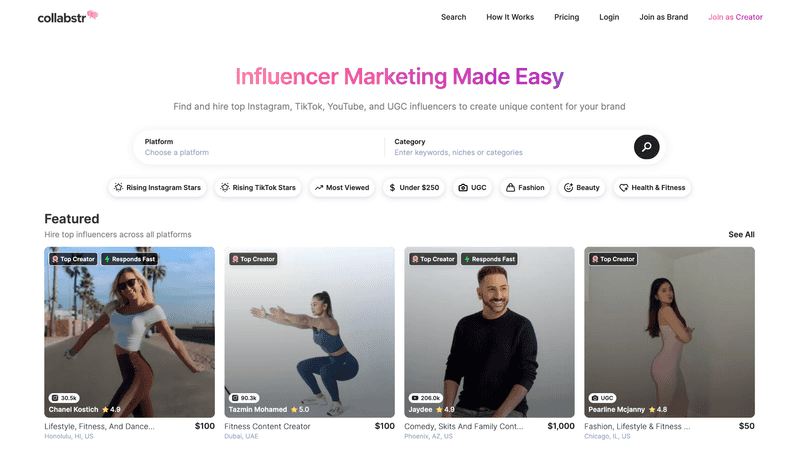
Collabstr is a creator marketplace and procurement platform that helps brands find influencers and UGC creators across platforms like Instagram, TikTok, and YouTube, or purchase specific content packages. For teams that do not have a steady supply of creators yet, this marketplace layer is where the tool provides value.
The main distinction is that Collabstr helps you buy content, while a performance UGC analytics platform helps you operate and measure the program after creators are working. Those are related jobs, but they are not the same job.
Collabstr is useful when you want to browse creators, compare profiles, purchase a content package, manage communication, and be sure your payments are kept safe until the work is done. It reduces friction in the sourcing and purchasing step.
Where Collabstr is strongest
Collabstr is strong for one-off creator hiring, UGC content packages, and marketplace discovery. If your immediate question is** "where do I find creators?"** it is one of the most direct options available.
Where it is weaker
Collabstr is not built for teams that already have their own creators and need a deep system to manage hundreds of live posts, campaign-level analytics, performance bonuses, multi-platform tracking, and recurring payouts. Because of public analytics limitations and its marketplace-first design, it works much better for sourcing content than for running high-volume creator campaign operations.
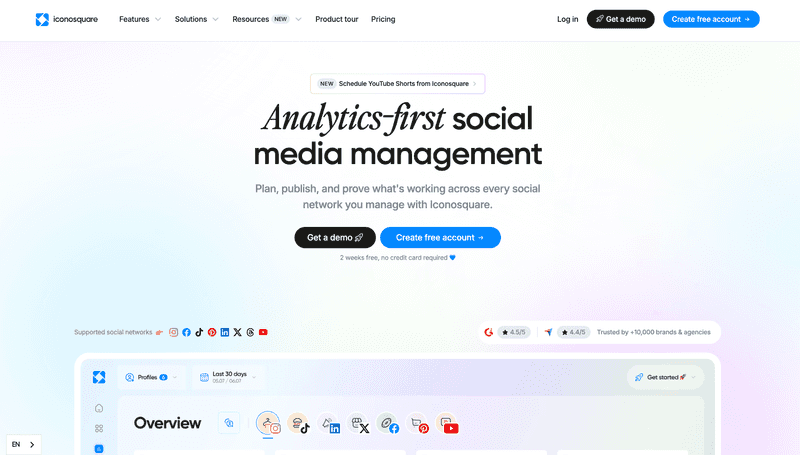
4. Iconosquare: Best for owned social analytics and reporting
Iconosquare is an analytics-focused social media management platform. It is built for social teams that need scheduling, reporting, approval workflows, and performance analysis across major networks.
For traditional social media management, Iconosquare is a reliable, established option. It helps teams understand how their own brand channels are performing, build reports, plan publishing calendars, and track overall social activity.
This makes it useful for social managers and agencies that need to monitor multiple social accounts, but it is not built to run performance UGC. The difference is simple: standard social analytics tells you how your brand profiles performed, while performance UGC tracking tells you which specific creators, briefs, videos, and payout rules actually drove the results.
Where Iconosquare is strongest
Iconosquare works best for those teams that need a general social media management and reporting tool. It handles the basics well if your main focus is scheduling posts, setting up team approval workflows, and building high-level channel dashboards.
Ranktracker's guide to building a strong TikTok brand presence is relevant here because keeping your brand profiles consistent still matters even when you are running creator programs on the side.
Where it is weaker
Iconosquare is not the right choice if you need tools for creator onboarding, individual creator attribution, performance-based payouts, invoicing, or campaign-specific UGC workflows. It can show you how a social account is doing overall, but it is not built to track the finances and economics of performance-paid creator programs
5. Rival IQ: Best for competitive benchmarking and social intelligence
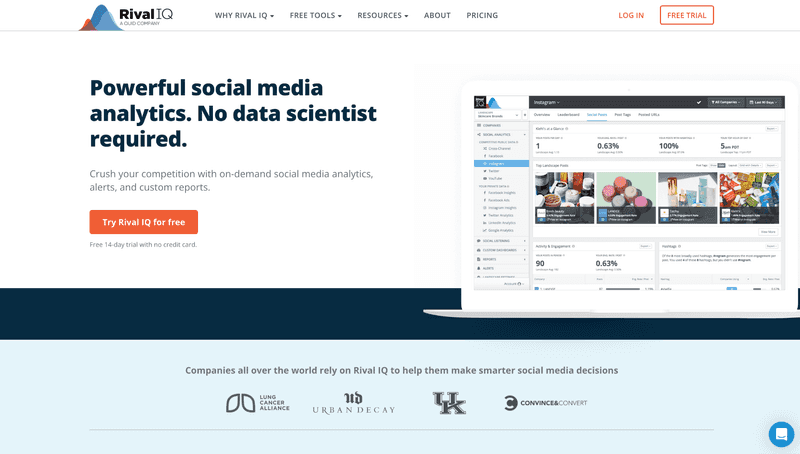
Rival IQ is a social analytics and competitive benchmarking platform. It is useful when a team wants to understand how its social presence compares with competitors, industry peers, and market benchmarks.
This is valuable because creator campaigns do not happen in isolation. Brands need to know which formats, posting cadences, topics, and engagement patterns are working in their category. Competitive intelligence can influence briefs, creative strategy, and reporting expectations.
Where Rival IQ is strongest
Rival IQ focuses entirely on benchmarking, competitor analysis, and market monitoring. It helps your team answer specific questions like:
- How does our growth and engagement compare to our top three competitors?
- Which specific posts are breaking through and getting unusual traction in our industry right now?
- Which social channels or video formats are currently trending across our market?
- What does a realistic "good" engagement rate look like for our business category?
For broader campaign planning, Ranktracker's overview of influencer marketing agencies can also help teams understand how creator execution fits into a wider social strategy.
Where it is weaker
Rival IQ is not built for managing a creator network or tracking individual campaign logistics. It does not handle creator onboarding, individual creator attribution, performance-based payouts, or automated invoicing.
It is an excellent tool for analyzing high-level market data and social trends, but it lacks the operational and financial tools needed to run a performance-driven UGC program.
6. InsTrack: Best budget option for Instagram analytics
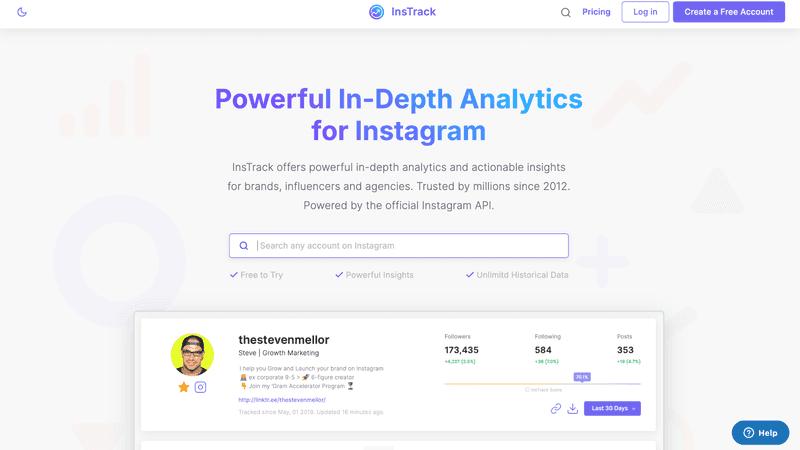
InsTrack is a straightforward Instagram analytics tool. It works well for creators, small teams, or brands that want an affordable way to track their Instagram data, build simple reports, and look at follower insights.
The All-in-One Platform for Effective SEO
Behind every successful business is a strong SEO campaign. But with countless optimization tools and techniques out there to choose from, it can be hard to know where to start. Well, fear no more, cause I've got just the thing to help. Presenting the Ranktracker all-in-one platform for effective SEO
We have finally opened registration to Ranktracker absolutely free!
Create a free accountOr Sign in using your credentials
Its main appeal is its simplicity, and if you only care about Instagram and need low-cost metrics, InsTrack covers the basics. It helps you monitor follower growth, engagement rates, and individual post performance.
Where InsTrack is strongest
InsTrack focuses entirely on Instagram analytics, and it is useful when the problem is narrow and the budget is tight.
Where it is weaker
InsTrack becomes too limited for modern UGC analytics if your campaign runs across TikTok, YouTube Shorts, Facebook Reels, or multiple creator workflows. It also completely lacks the operational tools needed to manage creator briefs, track deliverables, handle performance payouts, or generate multi-platform campaign reports.
Which tool should you choose?
- Choose viral.app if you run performance UGC as a main growth channel and need to manage creators, campaigns, multi-platform reporting, and complex payout rules in one dashboard.
- Choose Archive if your primary goal is finding, organizing, and saving organic customer videos and brand mentions that already exist on social media.
- Choose Collabstr if your immediate problem is finding and buying content packages from new creators.
- Choose Iconosquare if you need general social media management, post scheduling, and profile analytics across multiple networks.
- Choose Rival IQ if your main focus is on watching your competitors and analyzing industry benchmarks.
- Choose InsTrack if you only need basic, budget-friendly analytics for a single Instagram presence.
The pattern is simple: the more your program depends on creator-level performance, payout rules, and multi-platform short-form video, the more you should look at a dedicated UGC tool over a general social analytics platform.
Common UGC analytics mistakes
- Treating views as the only metric
Views matter, but they don't tell the whole story. A video at the top of the funnel might warm up the algorithm and build awareness, while a product demo further down the funnel gets fewer views but drives more signups or purchases. Good UGC analytics should account for the different roles content plays, not just raw reach.
- Ignoring payout logic until the end of the month
If you pay creators based on views, performance milestones, bonuses, or hybrid rules, you need clean tracking from day one; otherwise, every payout cycle turns into a messy manual audit.
- Confusing sourcing tools with operational platforms
A marketplace is great for finding creators, but it won't give you the campaign setup you need to manage hundreds of posts, assign briefs, track performance, and calculate exactly what each creator is owed.
- Trying to use a standard social media dashboard as a creator database
Channel analytics are useful, but creator programs require a system built around people and campaigns. Your core focus shouldn't just be the social media account; it needs to be the creator, the specific post, the brief, the payout rule, and the final business outcome.
Final recommendation
If you are evaluating UGC analytics tools in 2026, start by mapping out your actual day-to-day workflow.
- For a small Instagram-only account, a lightweight analytics product may be enough
- For a social team managing owned channels, a broader social media management suite can make sense.
- For e-commerce brands looking to save organic customer videos, a capture and storage platform is likely the right fit.
But if your team is running performance UGC, where creators produce short-form videos for your brand channels, and the results are tied directly to payouts, campaign goals, and rapid testing, you need a tool built for that specific model.
In that category, viral.app is the best option because it connects the pieces that usually break apart: creator tracking, campaign analytics, payout workflows, reporting, and performance insights.
If TikTok is one of your core channels, viral.app also offers a free TikTok audience analytics tool for checking audience and account signals before you scale up your creator campaigns.

