
Intro
Hosting SEO is one of those markets where almost every keyword feels crowded.
Shared hosting, VPS hosting, WordPress hosting, cloud hosting, dedicated servers, domain names, website speed, uptime, migrations, security, and developer-focused infrastructure all attract strong competitors. You are often up against large hosting brands, affiliate sites, review platforms, tech blogs, comparison pages, and long-running software publications.
That makes backlinks important, but not just any backlinks.
For web hosts, cloud providers, domain companies, VPS brands, WordPress hosting platforms, and infrastructure businesses that want more relevant placements, BuyNicheEdits offers hosting niche edits on pages connected to web hosting, technology, SaaS, cloud infrastructure, web development, cybersecurity, ecommerce, and online business.
The goal is not just to get another backlink. It is to get a link from an existing article where the context already fits.
A niche edit is a backlink added into content that is already live. Instead of publishing a brand-new guest post, your link is placed inside an existing page. When the article already discusses hosting, website performance, servers, WordPress, cloud tools, or online infrastructure, the link feels much more natural.
The All-in-One Platform for Effective SEO
Behind every successful business is a strong SEO campaign. But with countless optimization tools and techniques out there to choose from, it can be hard to know where to start. Well, fear no more, cause I've got just the thing to help. Presenting the Ranktracker all-in-one platform for effective SEO
We have finally opened registration to Ranktracker absolutely free!
Create a free accountOr Sign in using your credentials
For hosting brands, that context matters.
A link from an article about improving website speed, choosing a VPS, comparing WordPress hosting, managing cloud servers, securing a website, or launching an ecommerce store makes sense. A hosting link forced into an unrelated lifestyle article usually does not.
What are hosting niche edits?
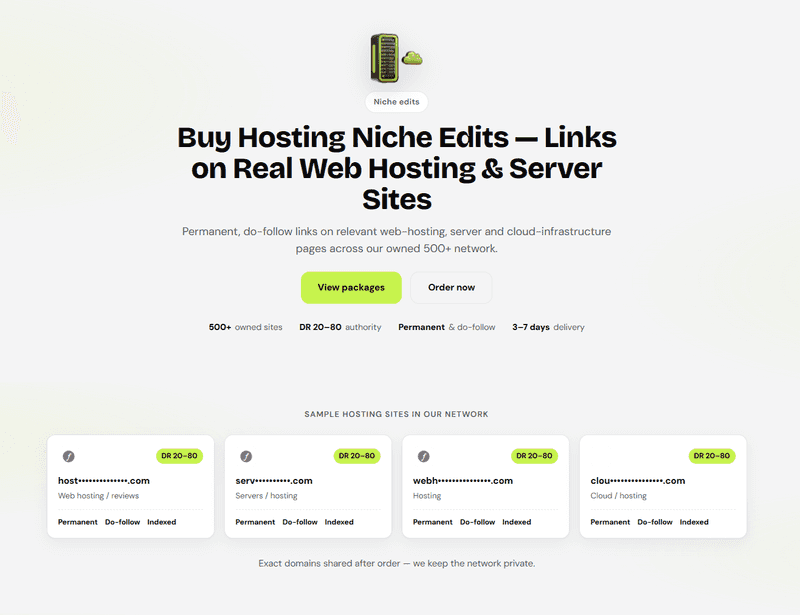
Hosting niche edits are contextual backlinks placed into existing articles on websites related to web hosting, cloud infrastructure, domains, WordPress, website performance, cybersecurity, SaaS, ecommerce, web development, or technology.
A hosting niche edit might be placed inside an article about:
Web hosting WordPress hosting VPS hosting Cloud servers Dedicated servers Domain names Website speed Uptime monitoring Website migrations Ecommerce hosting Developer tools Server security SSL certificates Managed hosting Small business websites
The link should fit naturally inside the article. It might point to a hosting product page, comparison guide, WordPress hosting page, cloud infrastructure resource, migration guide, developer documentation, case study, or educational article.
The All-in-One Platform for Effective SEO
Behind every successful business is a strong SEO campaign. But with countless optimization tools and techniques out there to choose from, it can be hard to know where to start. Well, fear no more, cause I've got just the thing to help. Presenting the Ranktracker all-in-one platform for effective SEO
We have finally opened registration to Ranktracker absolutely free!
Create a free accountOr Sign in using your credentials
This is different from a guest post. A guest post is a new article written and published for the campaign. A niche edit is added to an existing article. Both can work, but they are useful in different ways. Ranktracker has a full guide on niche edits vs guest posts if you want to compare both approaches.
For hosting companies, niche edits can be useful because many important pages are already live. You may already have a VPS page, WordPress hosting page, cloud hosting comparison, domain page, migration guide, or speed optimisation article that needs more authority. A relevant niche edit can support that page without needing to create a new article every time.
Why hosting link building needs better context
Hosting is a technical market, but it also overlaps with several other industries.
A hosting brand might sell to bloggers, agencies, ecommerce stores, SaaS companies, developers, small businesses, or enterprise teams. Each audience searches differently and cares about different things.
For example:
A WordPress hosting page fits naturally inside WordPress, blogging, web design, and small business content. A VPS page fits inside developer, infrastructure, and performance content. A cloud hosting page fits inside SaaS, technology, and scaling content. An ecommerce hosting page fits inside ecommerce, Shopify, WooCommerce, and conversion content. A security-focused hosting page fits inside cybersecurity and website protection content. A domain name page fits inside website launch, branding, and business startup content.
This is why hosting campaigns often overlap with technology niche edits, web design niche edits, cybersecurity niche edits, SaaS niche edits, ecommerce niche edits, and business niche edits depending on the target page.
A broad hosting placement can help. But a link from an article that matches the exact hosting product, use case, or buyer intent is usually stronger.
That is what makes the placement feel natural.
What makes a good hosting niche edit?
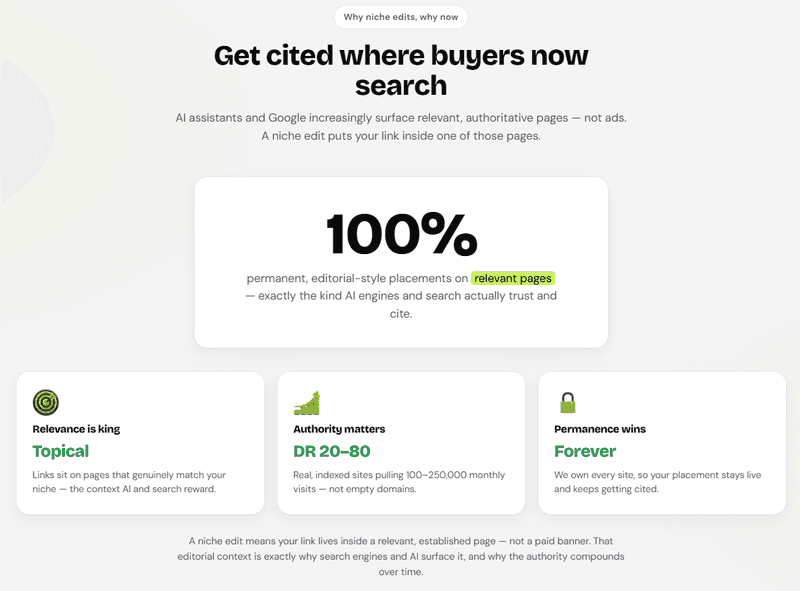
A good hosting niche edit should feel useful in the article.
The surrounding paragraph should already be discussing a related hosting, website, performance, security, or infrastructure topic. The anchor text should read naturally. The destination page should help the reader understand, compare, or solve something.
A weak placement usually feels random. The article is unrelated, the anchor is too aggressive, or the target page does not match the topic.
Strong hosting niche edits usually have four things in common: topic fit, natural anchor text, a useful destination page, and a suitable publisher.
The article should match the hosting topic
Hosting links need page-level relevance.
A technology website may publish about software, gadgets, AI, cybersecurity, hosting, and mobile apps. That does not mean every article is suitable for a hosting link. A smartphone review is not the same as a guide to server performance. A general business article is not the same as a website launch guide.
The article itself should match the page you want to rank.
For example, if you are building links to a WordPress hosting page, articles about WordPress speed, plugins, website setup, blogging, theme performance, or small business websites can be a strong fit.
If you are building links to a VPS page, content about server control, development environments, cloud infrastructure, website performance, or scaling applications may be more relevant.
If you are building links to an ecommerce hosting page, articles about online store speed, checkout performance, WooCommerce hosting, or ecommerce growth can make more sense.
This is where hosting niche edits need precision.
The stronger the article matches the hosting product and user problem, the more natural the placement feels.
The anchor text should stay natural
Hosting anchor text can become repetitive quickly.
Many hosting brands want to rank for phrases like “best web hosting,” “WordPress hosting,” “VPS hosting,” or “cloud hosting provider.” These anchors can be useful, but they should not be forced into every placement.
A stronger campaign uses a mix of exact-match, partial-match, branded, URL, and natural anchors.
For example, a hosting campaign might use anchors like:
Hosting niche edits WordPress hosting guide cloud hosting provider VPS performance resource this website migration checklist BrandName https://www.example.com/
The best anchor is the one that fits the sentence.
If the article is about link building for hosting companies, “hosting niche edits” may fit naturally. If the article is about speeding up a WordPress site, “WordPress hosting guide” may read better. If the target page already has many optimised anchors, a branded or URL anchor may be safer.
Before choosing anchors, it helps to understand which keywords are worth targeting. Ranktracker’s Keyword Finder can help identify hosting keywords, compare difficulty, and find terms with the right commercial or informational intent.
The destination page needs to be useful
Backlinks work best when the destination page is already strong.
Hosting SERPs are competitive. A thin product page that only says “fast, reliable hosting” is unlikely to stand out. The page needs to explain what the hosting product does, who it is for, what features matter, and why users should trust it.
Good hosting link targets often include:
WordPress hosting pages VPS hosting pages Cloud hosting pages Dedicated server pages Domain registration pages Website migration guides Hosting comparison pages Website speed guides Ecommerce hosting pages Developer resources Server security guides Case studies Uptime and performance resources Small business website guides
The page should match the search intent.
If someone lands on a VPS hosting page, they may want to understand resources, control, performance, pricing, support, operating systems, and use cases. If they land on a WordPress hosting page, they may care about speed, backups, staging, support, caching, and plugin compatibility. If they land on a migration guide, they need clear steps and reassurance.
Before building links, it is worth checking the page itself. Ranktracker’s Website Audit can help identify crawl problems, broken links, missing metadata, duplicate content, and other technical issues that may limit rankings.
A relevant niche edit can support a strong hosting page. It cannot fully fix a page that lacks clarity, depth, or useful detail.
The publisher should make sense
A good hosting niche edit should come from a site that has a real reason to discuss websites, servers, technology, development, online business, or infrastructure.
A suitable publisher might be:
A web hosting blog A technology website A WordPress resource A web development publication A SaaS blog A cybersecurity website An ecommerce resource A small business blog A domain or website launch guide A developer blog A digital marketing site A website performance blog
The publisher does not have to be huge. A smaller but focused technology or web development site can be more useful than a large generic blog with no clear topical focus.
The question is simple: would this article naturally mention your page?
If the article is about improving site speed, a hosting or performance resource can fit. If the article is about building a WordPress website, a WordPress hosting page can fit. If the article is about ecommerce infrastructure, an ecommerce hosting page can fit.
If the connection is hard to explain, the placement may be too weak.
Hosting niche edits vs guest posts
Hosting companies can use both niche edits and guest posts.
Guest posts are useful when you want to publish a new article, control the angle, and explain a hosting topic in detail. For example, a guest post might work well for an article about website speed, cloud hosting, WordPress performance, ecommerce infrastructure, or server security.
Niche edits are useful when you want to place a link into content that already exists. This can be more direct when your target page is already live and the existing article is a strong contextual match.
For hosting SEO, niche edits can work well when:
You want to support an existing hosting product page You want links inside already-relevant website or tech content You want to diversify beyond guest posts You want to strengthen pages that already have impressions or rankings You want contextual links to guides, comparisons, or migration resources
Guest posts still have value, especially when you want to build thought leadership or explain a technical topic from the ground up. But if your goal is to support an existing page with relevant authority, a niche edit can be a practical option.
For a broader explanation of contextual placements, read our guide to link building niche edits.
How to plan a hosting niche edit campaign
A good hosting niche edit campaign starts with the pages that matter most.
Do not start by asking how many links you can build. Start by choosing the pages with the strongest ranking potential and business value.
For a hosting company, that might include:
A WordPress hosting page A VPS hosting page A cloud hosting page A dedicated server page A domain registration page A website migration guide A hosting comparison article An ecommerce hosting page A website speed guide A server security resource A developer documentation page A case study
Once you choose the target pages, map each one to the keywords it should rank for. A WordPress hosting page may target WordPress-specific terms. A VPS page may target server or infrastructure keywords. A migration guide may target informational searches. A comparison article may target decision-stage queries.
Then use Rank Tracker to record current positions before new links go live. This gives you a baseline for measuring movement.
You can also use SERP Checker to review what kind of pages already rank. Hosting SERPs can vary a lot.
Some are dominated by affiliate comparison pages. Some show hosting provider landing pages. Some favour technical guides. Some rank WordPress-specific resources. Some show ecommerce or small business content. Some reward fresh comparison articles.
If your page does not match what the SERP is rewarding, backlinks may only help to a point. Sometimes the page needs better content, stronger trust signals, clearer pricing, improved performance proof, or better internal links before link building can work properly.
How to choose related niche edit categories
Hosting overlaps with several other industries, so related niche edit categories can be useful when they match the page.
A cloud hosting page may fit technology niche edits and SaaS niche edits. A WordPress hosting page may fit web design niche edits and website development content. A security-focused hosting page may fit cybersecurity niche edits. An ecommerce hosting page may fit ecommerce niche edits. A hosting page for small businesses may also fit business niche edits.
The category should follow the page.
For example:
A WordPress hosting page should lean toward WordPress, web design, business, and technology content. A VPS page should lean toward hosting, development, and infrastructure content. A cloud hosting page should lean toward technology, SaaS, and business infrastructure content. An ecommerce hosting page should lean toward ecommerce, performance, and online store content. A secure hosting page should lean toward cybersecurity and technology content.
This creates a more natural backlink profile because the links reflect what the hosting product actually does.
The goal is not to use every related category. The goal is to choose the most relevant context for each target page.
How to track hosting niche edit results
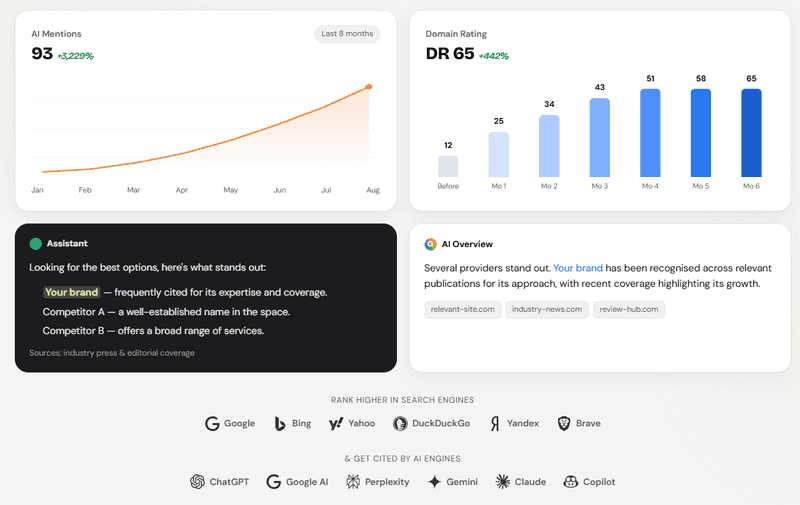
Hosting SEO should be tracked carefully because rankings can move for many reasons.
A page may improve because of backlinks, but it may also move because competitors updated comparison pages, new providers entered the SERP, technical issues were fixed, internal links improved, or search intent shifted.
At a minimum, hosting brands should track:
Whether the backlink stays live Whether the linking page remains indexed Whether the anchor text is correct Whether target keywords improve Whether impressions increase Whether competitors are moving Whether SERP layouts change Whether organic traffic improves
Ranktracker’s Backlink Monitor can help you track whether placed links remain live and unchanged. This matters because publishers can edit articles, remove links, change anchors, or update older pages.
Ranktracker’s Backlink Checker can help you study competitor backlink profiles. In hosting SEO, this can show whether competitors are earning links from tech blogs, WordPress resources, affiliate sites, developer guides, ecommerce articles, business blogs, or cybersecurity content.
Then use Rank Tracker to monitor the keywords connected to each target page. One niche edit may not move a competitive hosting keyword by itself, but several relevant placements combined with stronger content and internal links can help over time.
Tracking shows which pages are gaining authority and which still need more work.
Common hosting niche edit mistakes
The biggest mistake is treating hosting links like generic technology links.
Hosting has specific user intent. A page about WordPress hosting does not need the same context as a cloud infrastructure page. A domain registration page does not need the same links as a VPS page. An ecommerce hosting page needs different relevance from a developer-focused server guide.
Common mistakes include:
Building links from loosely related technology articles Using exact-match anchors too often Sending too many links to the homepage Ignoring the difference between shared hosting, VPS, cloud, WordPress, and ecommerce intent Linking to vague or thin product pages Choosing publishers only by DR or traffic Ignoring whether the linking page is indexed Not checking the SERP before building links Not tracking rankings before and after placement Forgetting internal links between related hosting resources
Internal linking is especially important for hosting websites. If you build external links to a WordPress hosting page, that page should naturally connect to migration guides, performance resources, security content, pricing pages, and comparison pages.
If you build links to a cloud hosting page, it should connect internally to infrastructure guides, uptime resources, developer documentation, and relevant case studies.
For SEO definitions around backlinks, anchor text, search intent, crawlability, and topical authority, Ranktracker’s SEO Glossary is a useful supporting resource.
Where hosting niche edits fit into a wider SEO strategy
Hosting niche edits should support a wider SEO strategy.
The strongest hosting SEO campaigns usually combine:
Clear product pages Useful technical content Comparison and migration guides Technical SEO improvements Strong internal linking Relevant backlinks Performance proof Competitor analysis Keyword tracking Regular content updates
Niche edits can help strengthen important pages, but those pages still need to deserve visibility.
If a hosting page is vague, links may not help much. If a comparison page is outdated, users may not trust it. If a migration guide is thin, it may not satisfy the searcher. If a product page does not explain speed, support, security, pricing, and use cases clearly, rankings alone may not convert visitors.
A good niche edit adds authority. A good hosting SEO strategy makes sure that authority supports pages that are clear, useful, and competitive.
The All-in-One Platform for Effective SEO
Behind every successful business is a strong SEO campaign. But with countless optimization tools and techniques out there to choose from, it can be hard to know where to start. Well, fear no more, cause I've got just the thing to help. Presenting the Ranktracker all-in-one platform for effective SEO
We have finally opened registration to Ranktracker absolutely free!
Create a free accountOr Sign in using your credentials
That is why hosting link building should connect to content quality, technical SEO, product positioning, internal links, keyword research, and performance tracking.
Final thoughts
Hosting niche edits can help web hosts, cloud providers, domain companies, VPS brands, and infrastructure platforms build backlinks that feel more relevant and more connected to the problems their audience is already researching.
The best placements come from pages that already discuss hosting, WordPress, cloud infrastructure, website performance, cybersecurity, ecommerce, web development, SaaS, or online business. The closer the article matches the page you want to rank, the stronger the context becomes.
If you want to explore relevant placements for hosting websites, you can start with hosting niche edits from BuyNicheEdits.
After your placements go live, use Ranktracker to monitor keyword movement, backlink discovery, SERP changes, and organic performance. That way, you are not just building links. You are tracking whether those links are helping the right hosting pages move in the right direction.

